
Integration Guide
Wix
Publish blog posts to your Wix website with full SEO metadata
How It Works
Once connected, Azuqe publishes blog posts directly to your Wix site as draft posts, then immediately publishes them. The full article body (headings, paragraphs, images, links, lists, blockquotes) is converted to Wix Rich Content format. Featured images and meta descriptions are included automatically.
Setup Steps
1
Before you start
- You need a published Wix site (click Publish in the Wix Editor if you haven't yet).
- You need a Wix API Key with All site permissions.
- You need your Wix Site ID (a UUID from your dashboard URL).
2
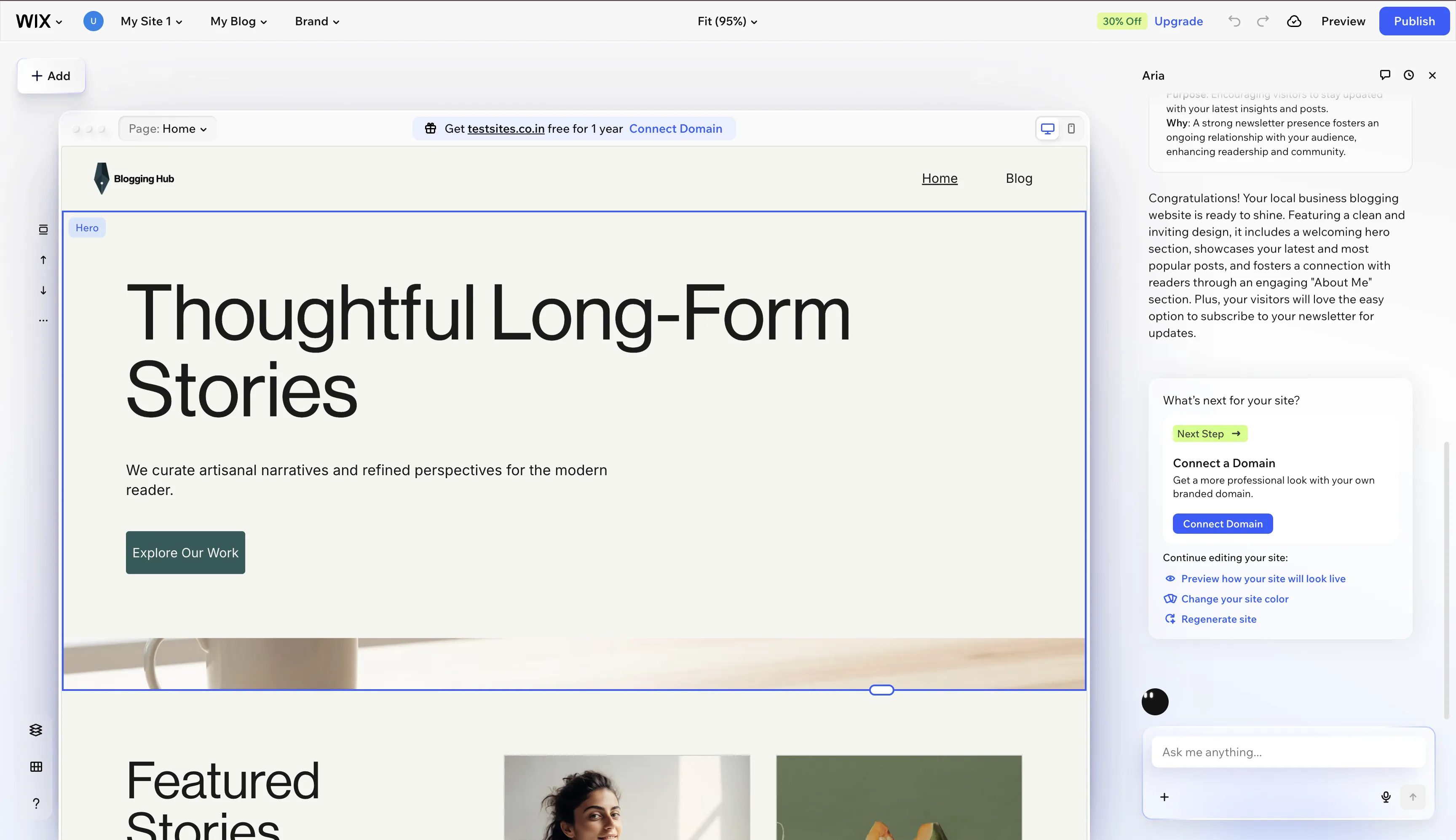
Publish your Wix site
- Your Wix site must be published before connecting. If you haven't published yet, click Publish in the Wix Editor first.
- The integration needs a live site to create blog posts.
3
Generate a Wix API Key
- In your browser, go to manage.wix.com and open your site dashboard.
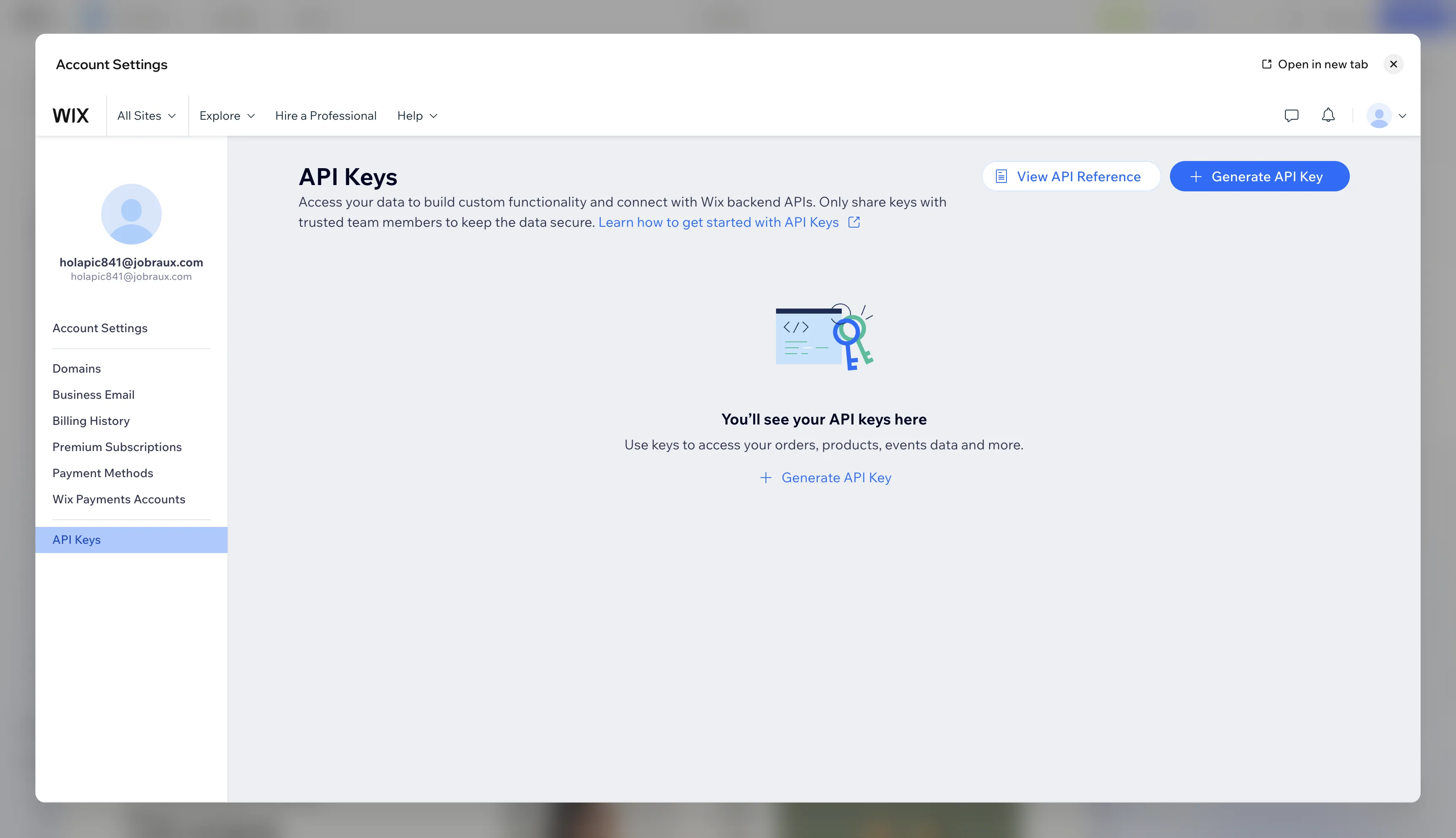
- Click your profile icon (top-right) and select Account Settings.
- In the left sidebar, click API Keys.
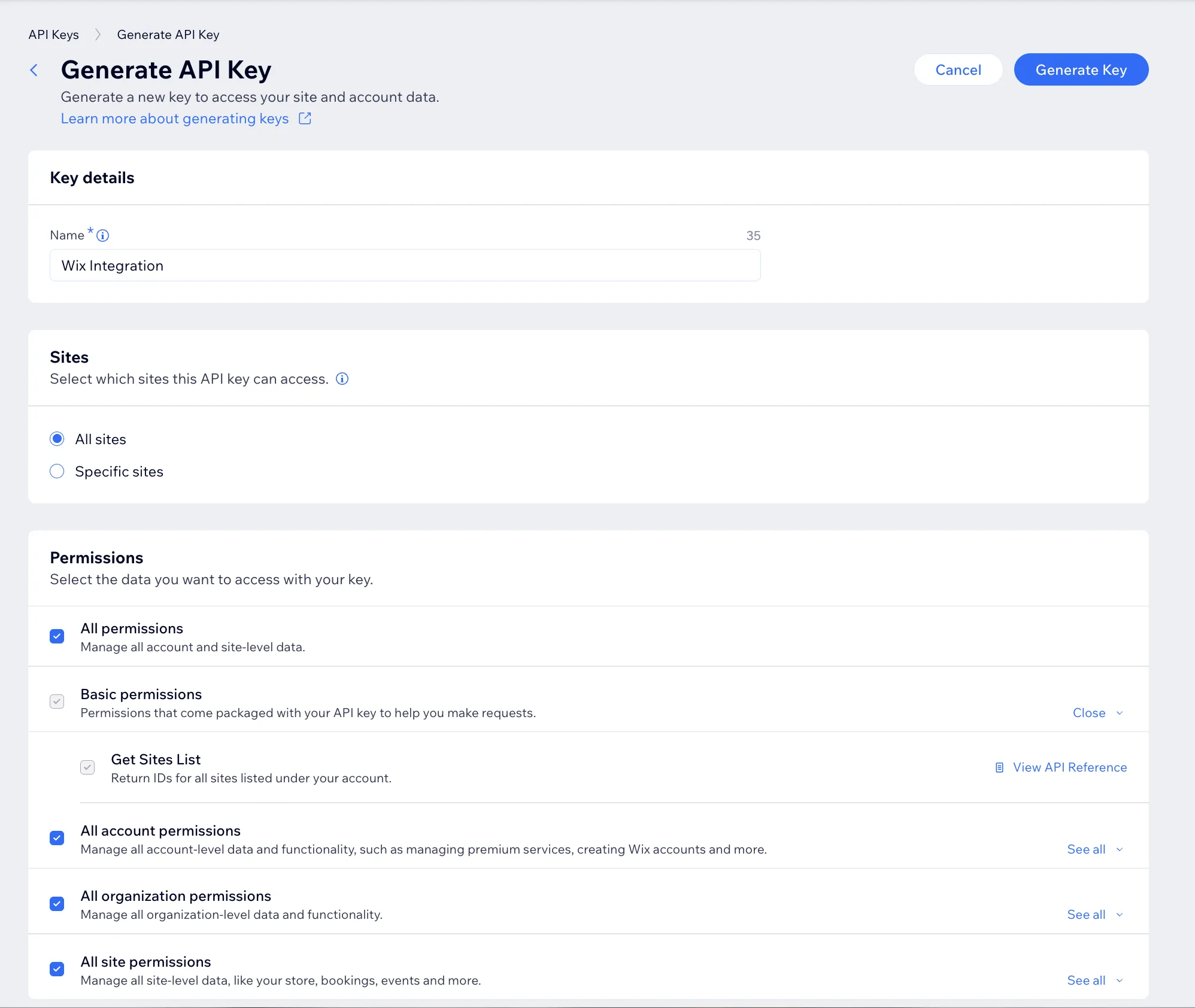
- Click Generate API Key. Give it a name (e.g. 'Azuqe').
- Under Sites, select your site (or All sites).
- Under Permissions, select All site permissions (this grants Blog read/write, Sites, and Members access).
- Click Generate and copy the API Key immediately. It is shown only once.
4
Find your Site ID
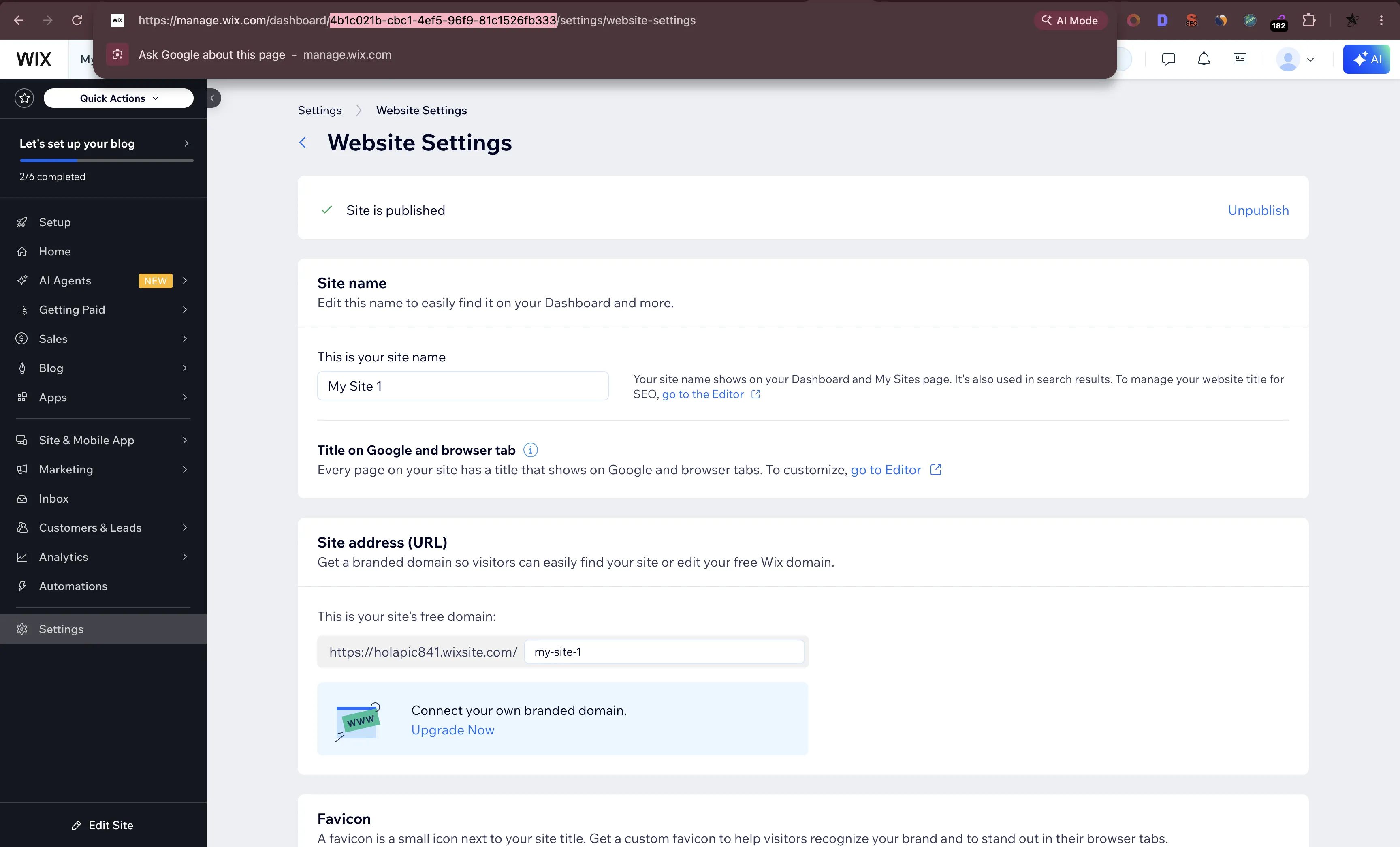
- Look at your browser URL while in the Wix Dashboard.
- The URL format is: manage.wix.com/dashboard/YOUR_SITE_ID/settings/...
- Copy the UUID after /dashboard/. For example, if your URL is manage.wix.com/dashboard/xxxxxxxx-xxxx-xxxx-xxxx-xxxxxxxxxxxx/settings, the Site ID is xxxxxxxx-xxxx-xxxx-xxxx-xxxxxxxxxxxx.
5
Connect in your dashboard
- Open the Connected Apps page inside your Azuqe dashboard.
- Click Connect on Wix, paste your API Key and Site ID, then click Connect.
- A connection test will verify your API key has the correct permissions.
What Gets Synced
Full article body converted to Wix Rich Content (headings, paragraphs, images, links, lists, blockquotes, bold, italic)
Featured image (hero image) synced automatically
Meta description mapped to post excerpt
Draft created then published in one flow (no manual publishing needed)
Author attribution via Wix Members API
Troubleshooting
Ready to connect?
Open your dashboard and navigate to Connected Apps to link Wix.