
Integration Guide
WordPress
Publish blog posts directly to your WordPress site.
How It Works
Install the Azuqe plugin on your WordPress site, copy one Integration Key, paste it into Azuqe. Every post you publish from Azuqe lands on your site with full formatting, featured image, inline images downloaded to your Media Library, SEO meta (Yoast, Rank Math, AIOSEO, SEOPress), categories, tags, and JSON-LD schema. Republish updates the same post — no duplicates.
Setup Steps
1
Install the Azuqe plugin
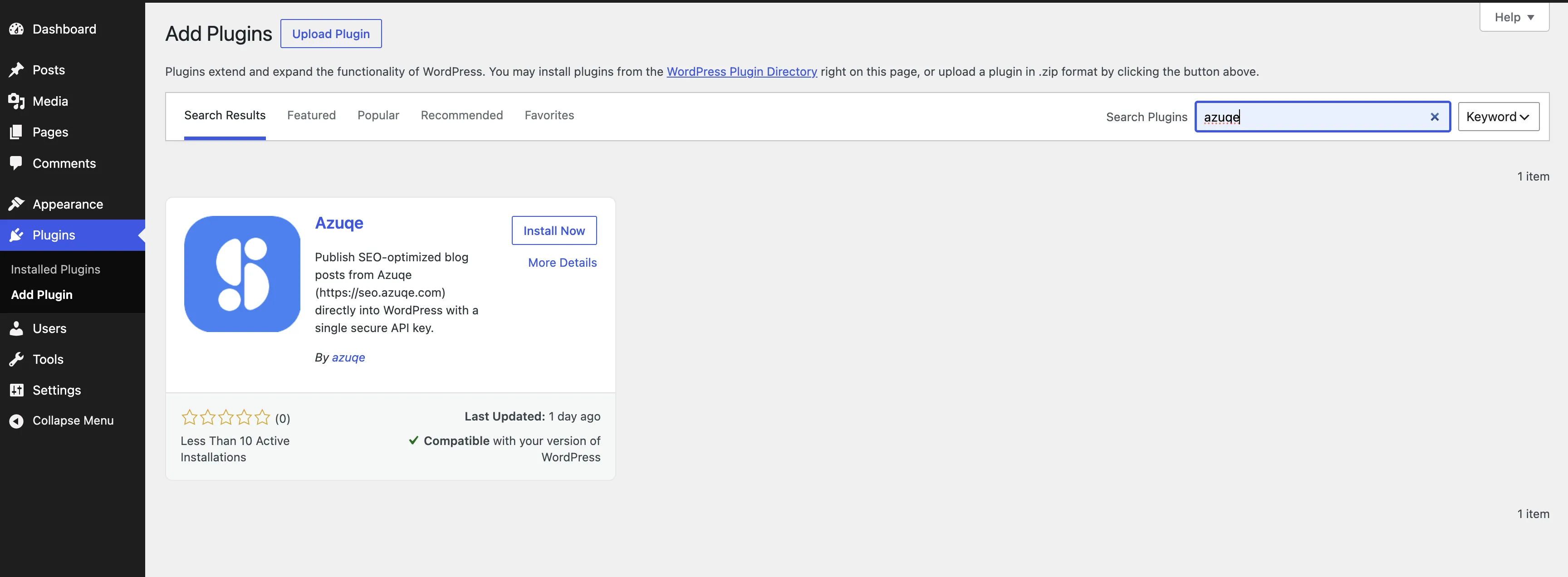
- In WordPress admin, open Plugins → Add New.
- Search for "Azuqe" and click Install Now on the Azuqe plugin.
2
Activate the plugin
- Once installed, click Activate.
- Azuqe now appears in the WordPress sidebar.

3
Copy your Integration Key
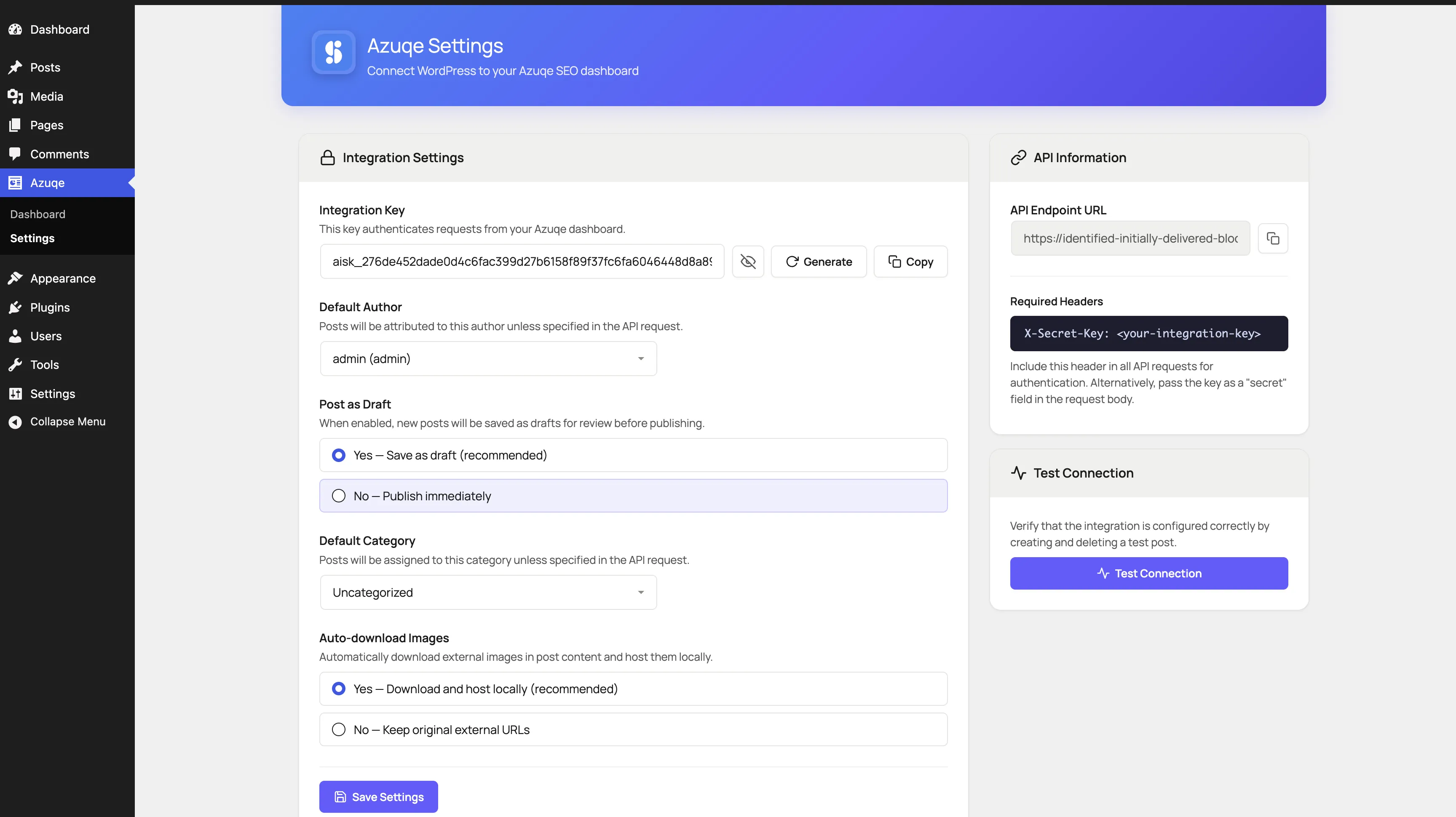
- Open Azuqe → Settings in the WordPress sidebar.
- Click Generate if you don't have a key yet.
- Click Copy — the key starts with aisk_.
4
Add the integration in Azuqe
- In Azuqe, open Integrations → WordPress → Connect.
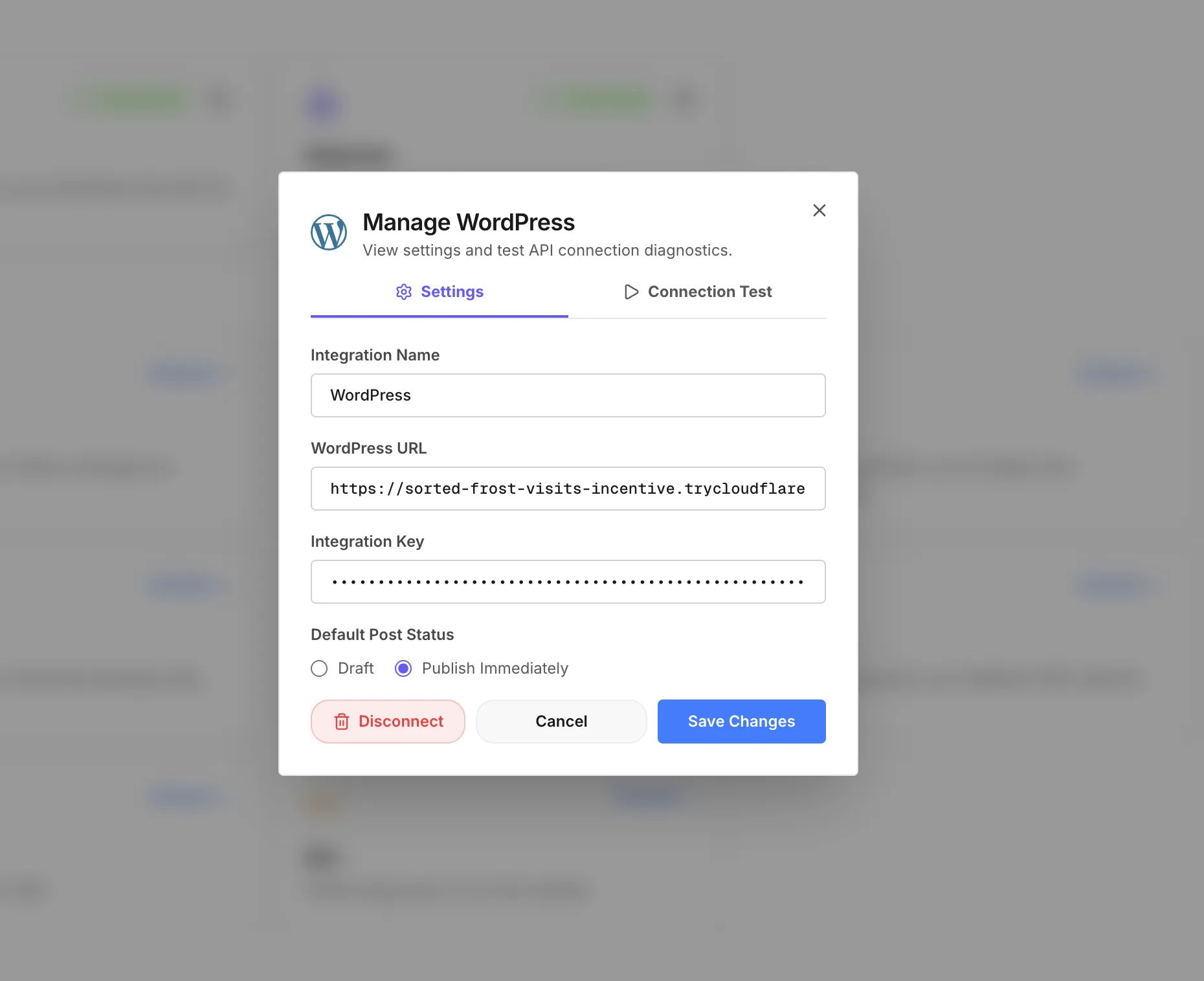
- Paste your WordPress site URL, a friendly name, and the Integration Key.
- Click Connect. Azuqe runs a health check against the plugin automatically.
5
Publish a blog to WordPress
- Write or generate a blog in Azuqe.
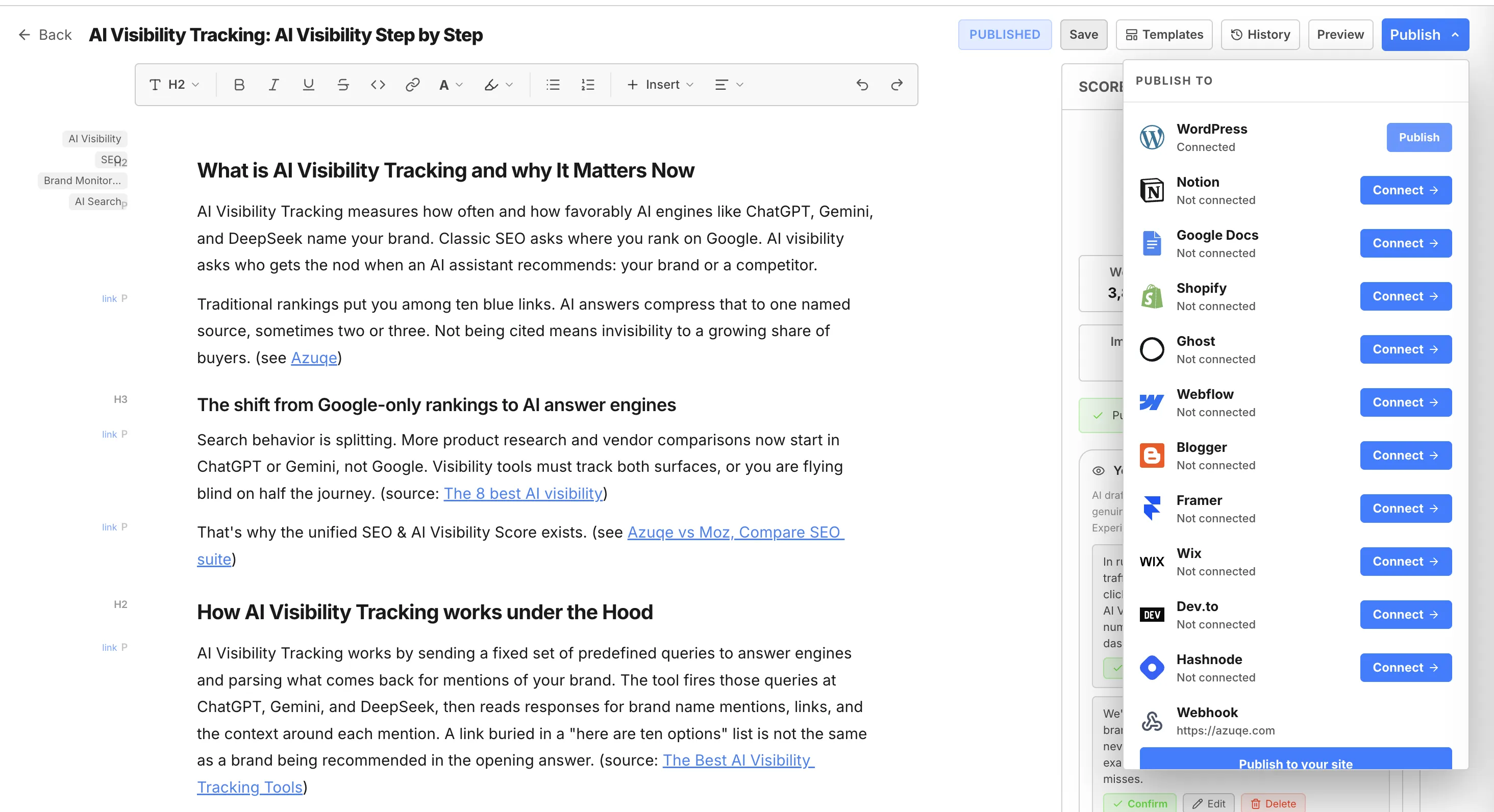
- In the editor, open Publish → pick your WordPress integration → Publish.
- The post lands on WordPress with content, featured image, meta, and schema in one shot.
6
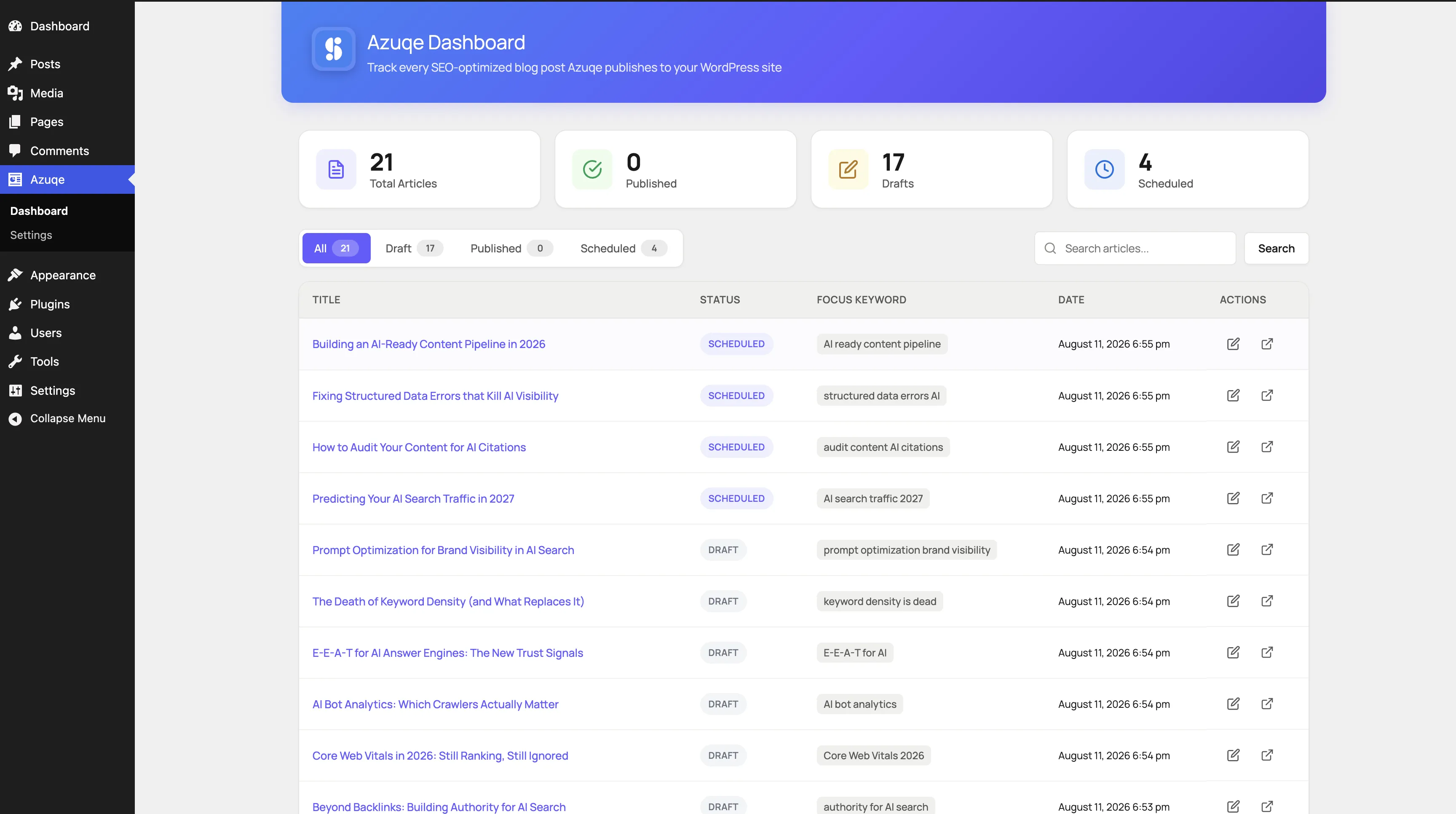
Track everything from the plugin dashboard
- In WordPress: Azuqe → Dashboard.
- See every published, draft, and scheduled post in one list.
- Click any row to jump straight into the WordPress editor.
What Gets Synced
Full HTML content, featured image, and inline images downloaded to your Media Library.
SEO meta (title, description, focus keyword) written to Yoast / Rank Math / AIOSEO / SEOPress — or emitted directly when no SEO plugin is installed.
JSON-LD schema (Article, Author, FAQ, Breadcrumb) injected into <head> for AI answer engines.
Missing categories and tags created automatically.
Scheduled publish dates honored.
Republish updates the same WordPress post — no duplicates.
Troubleshooting
Ready to connect?
Open your dashboard and navigate to Connected Apps to link WordPress.