Can AI agents see your website? The new technical SEO problem, explained
An AI agent doesn't see your website the way you do. It gets a screenshot, the raw HTML, or the accessibility tree. The accessibility tree is the structured outline a browser builds from your DOM, and screen readers have used it for years. Agents use it too, because it hands them headings, links, buttons, and landmarks in a form they can actually parse. In practice, it's the interface most agents reach for.
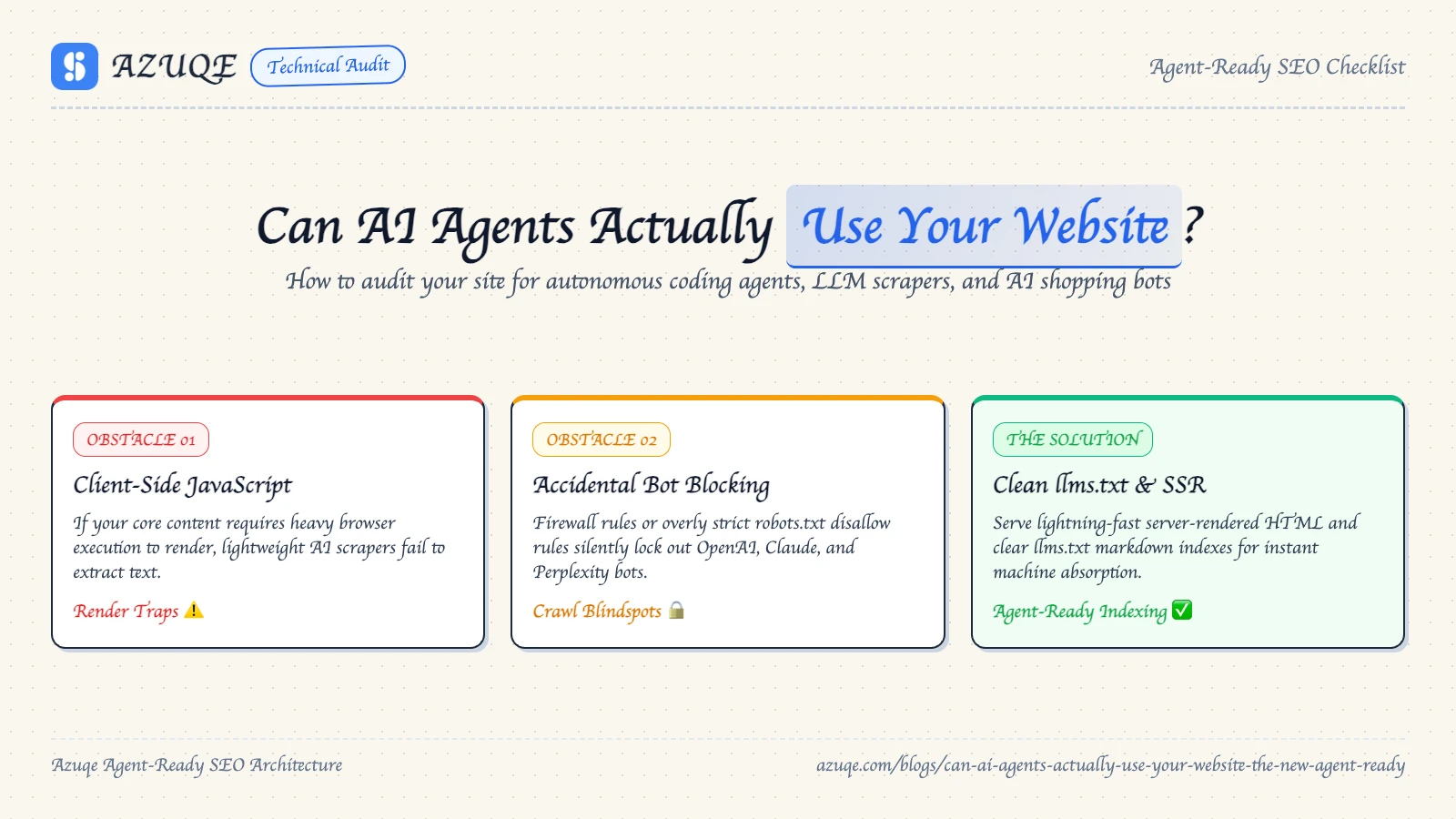
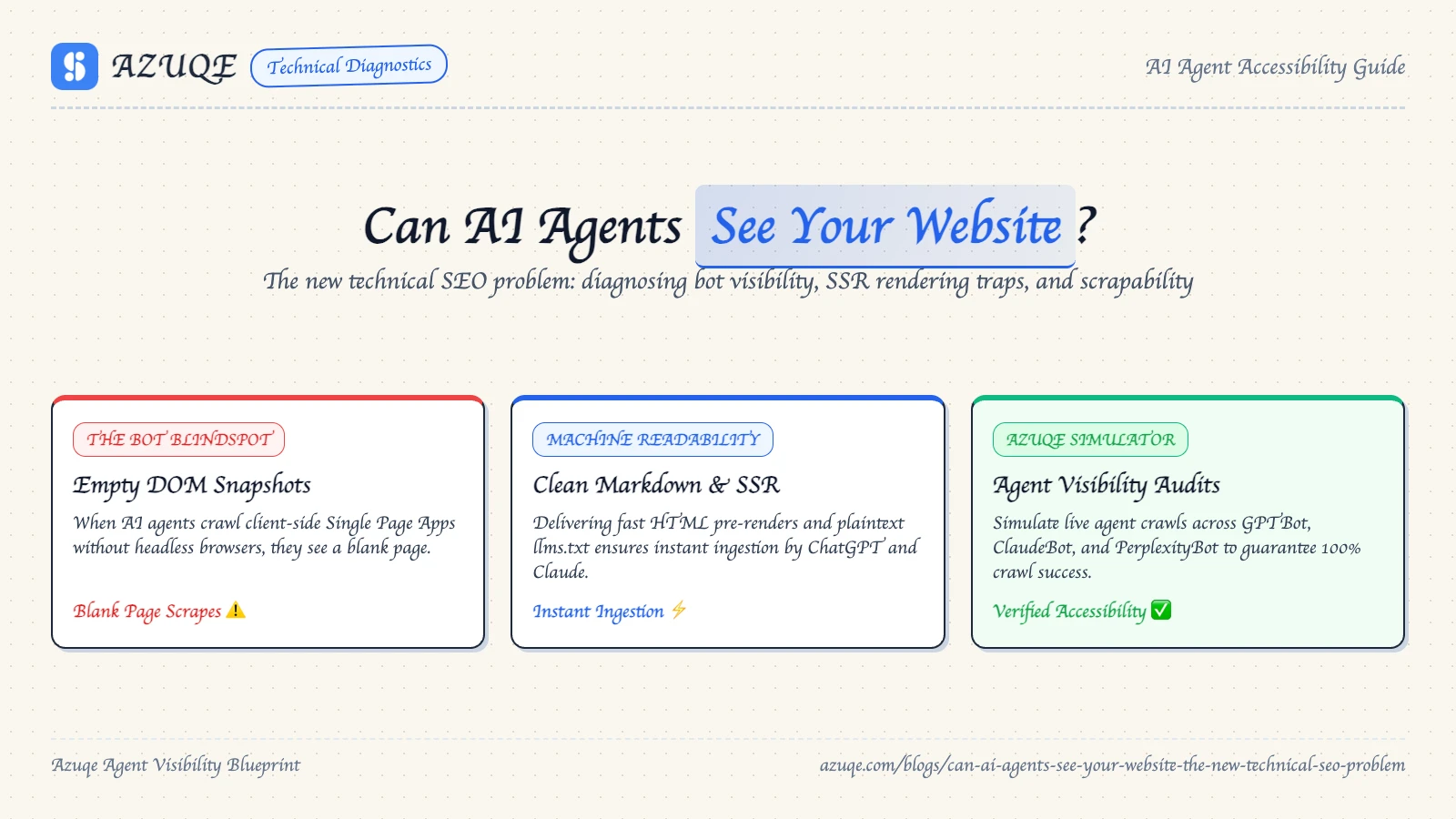
Whether an agent can see your website at all is the new technical SEO problem. Most AI crawlers do not render JavaScript. Ship your content client-side and the agent gets an empty shell where your page should be. No error, no warning, no dip in Google rankings.
The fixes are unglamorous. Server-rendered HTML, semantic markup, structured data, an llms.txt, a working skip to main content link. None of it is exotic, and all of it decides whether your brand gets a citation or gets skipped.
Key takeaways
The pitfall that costs people the most: they open their site in a browser, watch it render, and assume an agent sees the same thing. That assumption is wrong. Agents mostly get raw HTML, the accessibility tree, and occasionally a screenshot.
- Most AI crawlers cannot render JavaScript. If content only appears after hydration, agents get an empty shell.
- Semantic HTML (nav, button, a, label) does the work. ARIA patches gaps, it does not replace native elements.
- Structured data and a clean heading order give agents something to cite.
- Web accessibility and agent readability are the same job. Fix one, fix both. A working "skip to main content" link helps screen readers and agents alike.
- Test with JavaScript disabled. That is the fastest reality check there is.
How do AI agents actually see your website?
The pitfall is assuming an agent sees the page you see. It gets a stripped-down version, and whatever you built that only exists after the browser finishes painting is simply not there.
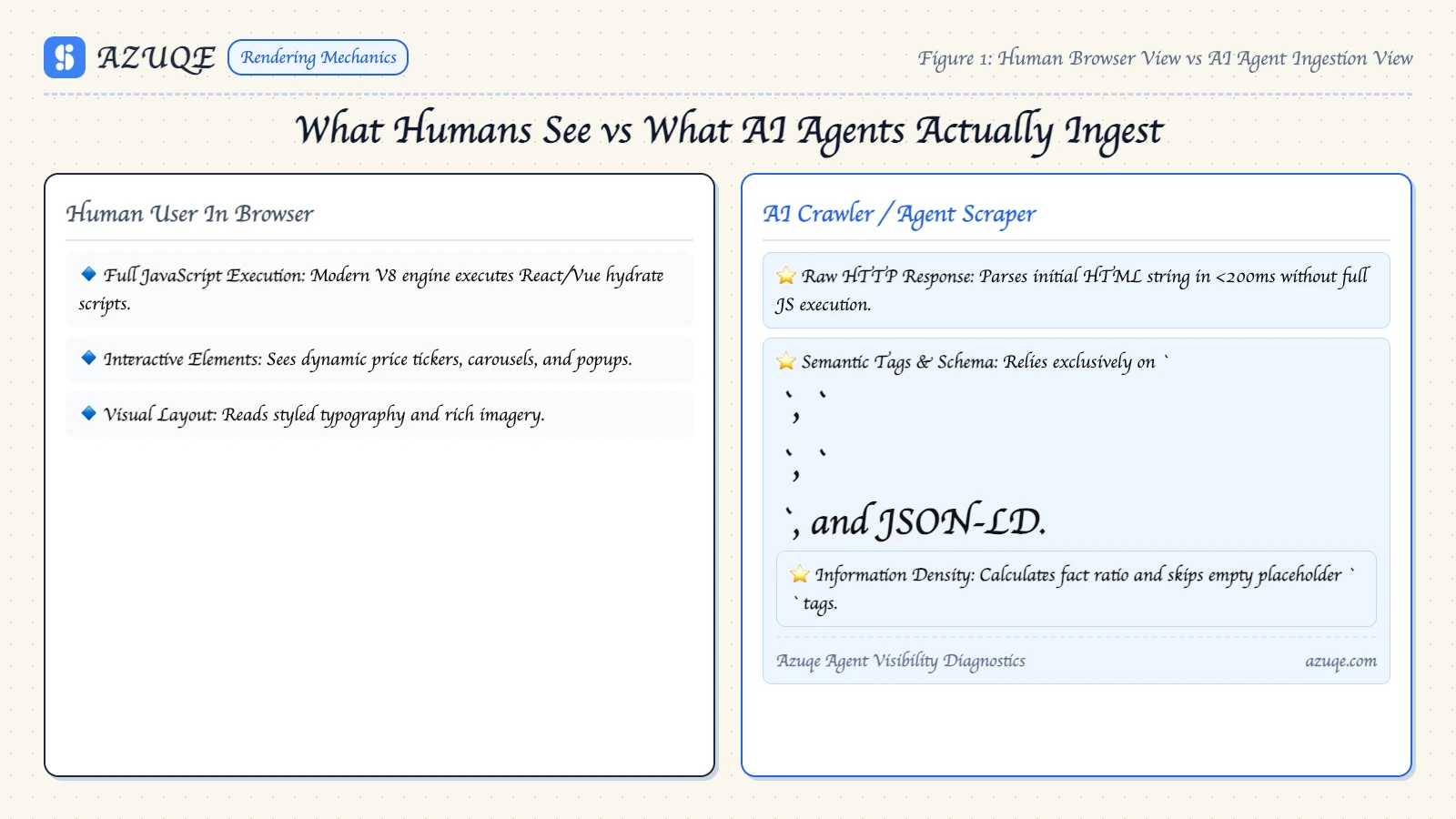
When you're asking can AI agents see your website, the honest answer is that they see it through a screenshot, the raw HTML or DOM, and the accessibility tree, in rough order of use.
The accessibility tree is the one that matters most. It's the browser's structural model of your page, the same tree screen readers walk, and agents lean on it because it costs less than parsing pixels and misleads less than guessing from a screenshot.
Most AI crawlers don't render JavaScript, so anything injected client-side never reaches them. Semantic HTML is the foundation: landmarks, real buttons, and a working skip to main content link give the agent a map. ARIA is a patch on top, and structured data plus llms.txt help with discovery rather than comprehension.
Why does semantic HTML beat ARIA for AI agents?
The usual fix for a page agents can't parse is bolting ARIA roles onto a div and calling it a button. That usually makes it worse. Agents build the accessibility tree from native HTML first: button, a, label, nav. ARIA patches the gaps native elements can't cover, so role="button" on a div hands over a name and nothing else.
So the real question is what you replaced. Semantic HTML is the foundation. ARIA is a supplement.
Practical order of operations: use native elements, keep one h1, add a "skip to main content" link, and put structured data in JSON-LD instead of smuggling meaning into attributes. For pages you render with JavaScript, check raw HTML and the rendered tree separately. An agent that can't execute scripts only ever sees the first one, and attributes layered on top of a broken tree just add noise to the signals it reads.
Can AI agents read JavaScript-rendered content?
The cheapest test for whether an AI agent can read your page is to turn JavaScript off and load it. If the content disappears, so does your shot at being cited. That is the measurement half of the problem: agents do not wait for your framework to hydrate.
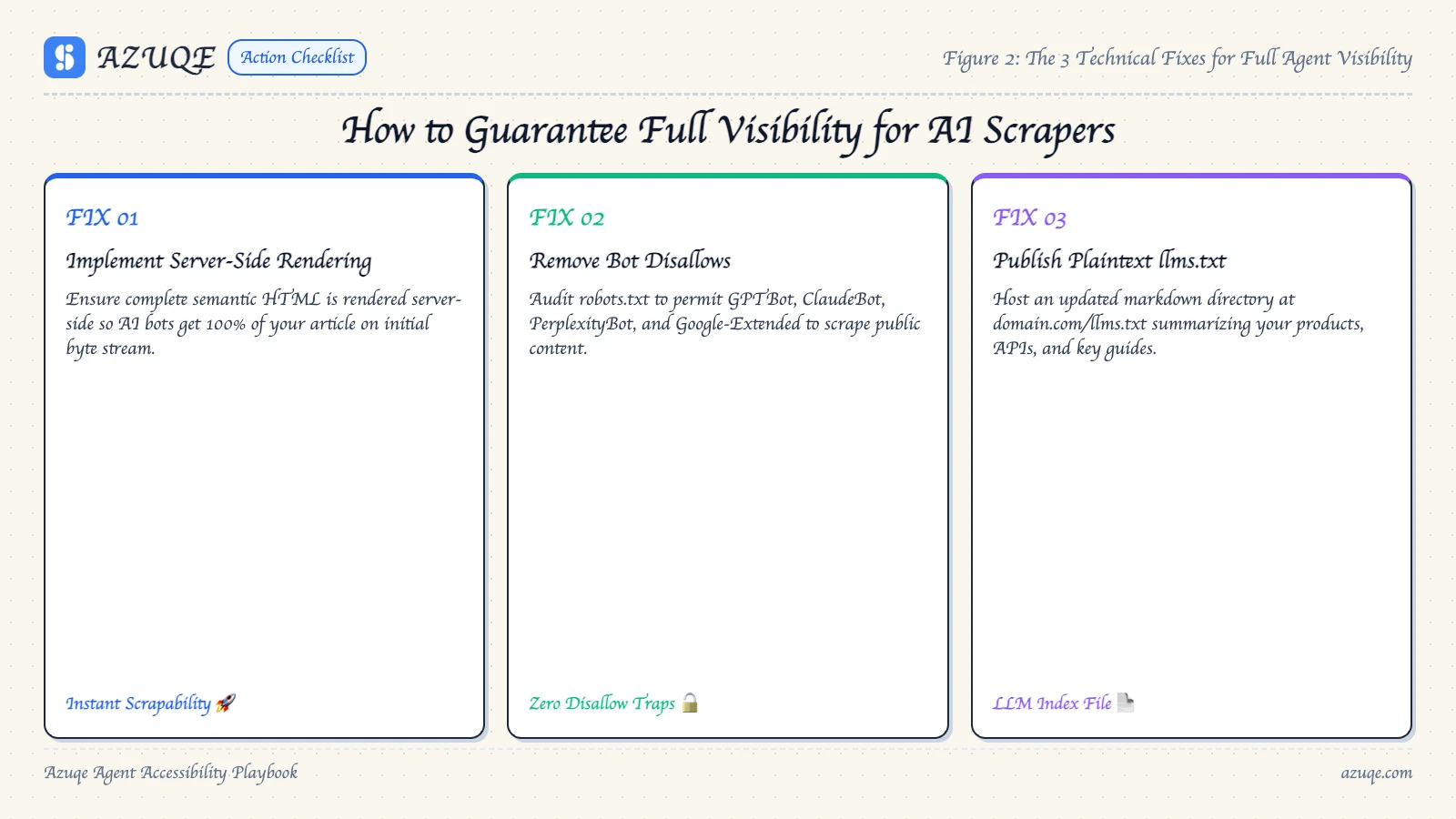
Most AI crawlers fetch raw HTML and never execute JavaScript. What arrives is whatever your server returned: navigation, boilerplate, an empty root div. No rendered text, no accessibility tree, no structured data.
What holds up:
- Server-render or pre-render the content that matters, so the first HTML response already contains it.
- Verify with curl, not your browser. View-source is what the agent sees.
- Add an llms.txt pointing agents at canonical pages; they cannot guess what sits behind a client-side route.
- Keep real anchor hrefs for anything an agent might follow.
If your page only exists after hydration, no amount of structured data fixes it.
How do you check web traffic of a website for AI agent visits?
An AI agent visiting your site arrives as a plain HTTP request with a user-agent string, and it lands in your server logs, not your analytics. The dashboards teams open first are structurally blind to the traffic they're trying to measure.
Google Analytics fires a JavaScript tag. Most AI crawlers don't render JavaScript at all, and the ones that do typically skip third-party tags and never accept a cookie. So GPTBot shows up as nothing, or as one orphan "direct" session if it happens to execute. Any traffic checker built on tag-based measurement inherits that blind spot. Search Console won't help either, since an AI crawl isn't a search impression.
Two signals do work.
Server logs measure agent access. Raw access logs carry the user-agent, IP, path, timestamp, and status code for every hit. Filter for the known agent strings (GPTBot, OAI-SearchBot, ChatGPT-User, ClaudeBot, PerplexityBot, Google-Extended, Bytespider, Applebot-Extended) and chart hits per agent per day. Watch the status codes as closely as the counts: a 403 or 429 means the agent reached you and you turned it away, which looks like activity and reads as zero visibility. If you don't control the logs, edge logs from your CDN give you the same fields.
Referrals measure human clicks out of AI answers. When a chat product cites you, the person who clicks arrives with a referrer, chatgpt.com, perplexity.ai, copilot.microsoft.com, gemini.google.com. That is a citation working, not a crawl. Set up a custom channel group so these don't disappear into generic Referral when you view website traffic reports.
Here is the loop I'd run:
- Pull one week of logs and grep the agent user agents.
- Count hits per agent, per day, and note which URLs each one requested.
- Look at where they went. Agents frequently jump straight to deep content pages instead of the homepage, so a homepage-only view makes an active site look abandoned.
- Check the status codes returned on those requests.
- Cross-check the GA4 AI referral channel for the human side of the same story.
What a general traffic or SEO tool will not give you: Semrush, Ahrefs, and Moz estimate rankings, backlinks, and authority. Checking website authority is a link-and-rank question, and it tells you nothing about whether a bot can parse your DOM. A page with strong authority and a client-side-rendered article body is still invisible to a non-rendering crawler. Keep the two questions apart: does the market find me, versus can the agent read me.
One thing logs can't tell you is what the agent took away. While you're in there, fetch a few of those requested URLs with a text-only viewer or a rendering agent and inspect the raw HTML and the accessibility tree. Confirm the main content is reachable without the full JS pipeline, that structured data survives, and that an llms.txt exists. If the only route to your article body runs through client-side rendering, the tree shows a shell, and a skip to main content link won't save a page where the content was never server-rendered.
Traffic data tells you an agent showed up. It never tells you whether the visit produced a citation.
The new technical SEO problem in practice: where AI visibility quietly breaks
Here's the tradeoff nobody wants to hear: the thing that makes a site fast or dynamic is usually the same thing that hides it from an agent. It breaks in the gap between what a browser paints and what an agent can actually parse.
A client-side rendered product grid looks perfect in Chrome. The agent gets an empty shell. No raw HTML, no structured data. Your citation chances die right there, and nothing in your analytics flags it as an error.
The quieter failures:
- Content injected after load, so the accessibility tree never contains it.
- Custom divs instead of semantic elements, so agents guess what is interactive.
- "Skip to main content" links and nav wrappers that bury the actual body copy under boilerplate.
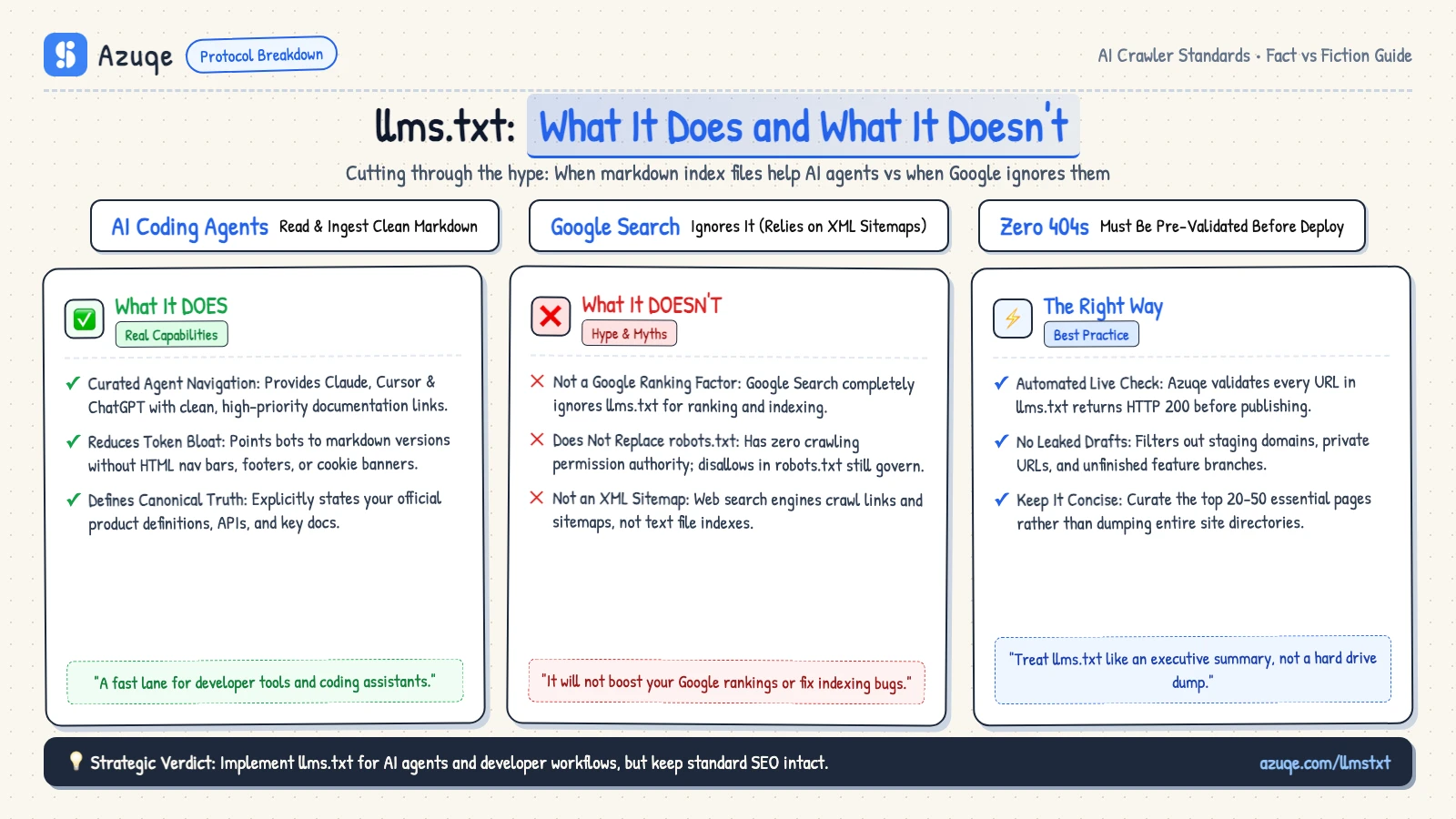
- An llms.txt present but ignored because the page never finishes rendering.
Every one of these passes a normal crawl. None of them fails a normal audit. That gap is the whole problem.
Which fixes actually hold up for AI visibility?
The cheapest fix is the one you only pay for once. Pre-render your key templates server-side so the raw HTML carries the content. Anything that waits on a JavaScript bundle to render will break again on your next deploy, and that single decision settles whether the agent visibility problem stays solved or quietly comes back.
Semantic HTML is the second fix that holds. Native buttons, anchors, labels and nav elements map straight into the accessibility tree, and a real skip-to-main-content link costs nothing. Bolting on ARIA instead tends to add noise rather than clarity.
Structured data and an llms.txt file help as signals, but treat them as hints, not guarantees. The unglamorous part: none of this shows up cleanly in your analytics, so run a quarterly raw HTML check instead of trusting a dashboard.
The mistakes that make a site invisible to AI agents
Most teams debug this backwards: they check traffic dashboards first and markup last. That order is why this problem keeps catching people out. Google Analytics and Search Console say nothing about whether an agent read your page, because agents usually skip the rendered, scripted experience.
- Content that only appears after JavaScript runs. Most AI crawlers cannot render JavaScript, so they see an empty shell.
- ARIA bolted onto divs instead of native semantic HTML. The accessibility tree comes from real button, nav, and label elements, not attributes layered on top.
- Pages with no skip to main content link or landmark regions, so raw HTML reads as noise.
- Missing structured data and llms.txt, the signals agents use to classify a page.
- Using Search Console, Semrush, Ahrefs, a CRM, or a chatbot as your visibility check. None of them see what an agent sees.
Get the markup right and the accessibility tree follows. Unglamorous, and that is the whole game.
Frequently asked questions
Blocking a crawler and shipping a JavaScript-only page fail in two completely different ways. The robots.txt block is a request that may or may not be honored. The unrendered page is a wall the agent simply cannot climb. That distinction answers most of what people ask next about whether AI agents can see your website.
Can AI agents access websites that block crawlers in robots.txt?
Often yes. What matters is the difference between training crawlers and live-fetch agents. GPTBot and Google-Extended respect robots.txt because they feed model training, and those companies treat the file as binding. But most AI answers get built by fetching a page the moment a user asks something, and those fetches are frequently made by an agent acting on a user's behalf rather than a declared crawler. A robots.txt line is a signal of intent, not a lock on the door.
The same goes for llms.txt. It is a convention some platforms read and many ignore. Publishing one costs you a file, so do not expect it to control anything.
Can AI agents scrape websites on their own, or do they only see what they're served?
Both, depending on the platform. Retrieval-based answer engines fetch raw HTML and parse the text, so they see whatever your server actually returns, with no rendering and no interaction. Agentic browsers go further. They render the page, then interpret it through the DOM, screenshots, and the accessibility tree, and they can click, scroll, and fill forms. Neither behaves like Googlebot. Pages get pulled on demand rather than re-crawled from a standing index, which is why structured data and clean semantic HTML matter more here than crawl budget ever did.
How do you get AI to see your website if you can't touch the codebase?
Work with what the CMS gives you. Server-side rendering and pre-rendering are the real fixes, and plenty of plugins handle both. If that is off the table, push the content that matters into raw HTML: headings in order, real anchor and button elements, a "skip to main content" link, JSON-LD structured data, and alt text that states the point. Semantic markup is the foundation and ARIA is a supplement, so bolting ARIA onto broken HTML usually gives an agent less to work with, not more.
How long does it take for a fix to show up in AI answers?
Nobody has a clean number, and anyone quoting one is guessing. Live-retrieval platforms can pick up a corrected page the next time someone asks a matching question, which can be hours. Cached answers, agent memory, and model update cycles lag behind that unpredictably. Fix the page, confirm the raw HTML actually changed, then check back across weeks instead of days.
Can AI see images and video on my website?
Largely no. Without alt text, an image is just a filename. Without a transcript or captions, a video is a black box with a title. If the substance of either one earns you a citation, write that substance out in text beside the asset and let the media support it. Agents read text first, and everything else is decoration.
Conclusion
Google Analytics and Search Console show you visitors you already have. AI agents see something narrower: raw HTML, the accessibility tree, structured data, and rendered content, which is why whether AI agents can see your website comes down to what survives without JavaScript and without a mouse.
The comparison that matters is simple. Traditional SEO rewarded pages that ranked. Agent visibility rewards pages that parse. Semantic HTML, server-side rendering, a real skip-to-main-content link, and an honest llms.txt file do more than any bolt-on ARIA ever will.
So run the plain-text test on your top ten pages. If the structure collapses, so do your citation odds. Accessibility and agent readability are the same job, and most teams are only doing half of it.