An SEO MCP server lets Claude, Cursor or another assistant read your site's SEO problems in the middle of a conversation, so it can explain them and help you fix them in your own code. Azuqe's server does that with one read-only tool. Shipping a fix, confirming it is live on the page and rolling it back happen in the Azuqe dashboard, where a person presses the button. Below is why we drew the line there, and what a snippet fix cannot change.
What is an SEO MCP server?
An SEO MCP server is a service that exposes SEO data or actions to an AI assistant through the Model Context Protocol, so the assistant can call it as a tool instead of you pasting reports into the chat.
Anthropic introduced the Model Context Protocol on 25 November 2024 as an open standard for connecting AI tools to data sources. When we checked the Google results for "seo mcp" on 24 September 2026, most of the ranking servers handed an assistant keyword, SERP and backlink data. That data answers what to target, and says nothing about what is broken on your own pages today.
Should an AI agent be allowed to deploy SEO fixes?
Not without a person approving each change, and the protocol's own authors say the same. The MCP tools specification says there "SHOULD always be a human in the loop with the ability to deny tool invocations", and that clients "MUST consider tool annotations to be untrusted unless they come from trusted servers."
A second reason is specific to SEO: an SEO tool reads web pages written by strangers. Anthropic's Claude Code MCP documentation warns that servers which fetch external content can expose you to prompt injection.
So Azuqe's MCP server is read-only by product decision. We briefly exposed deploy, revert and re-audit tools over MCP and removed them, because the keys were read-scoped and every write call was refused.
Azuqe also binds each key generated on the MCP page to one site, so a prompt cannot aim the tool at a different domain. Revoking the key in the dashboard cuts off MCP access at once.
What does the Azuqe fix center show your assistant?
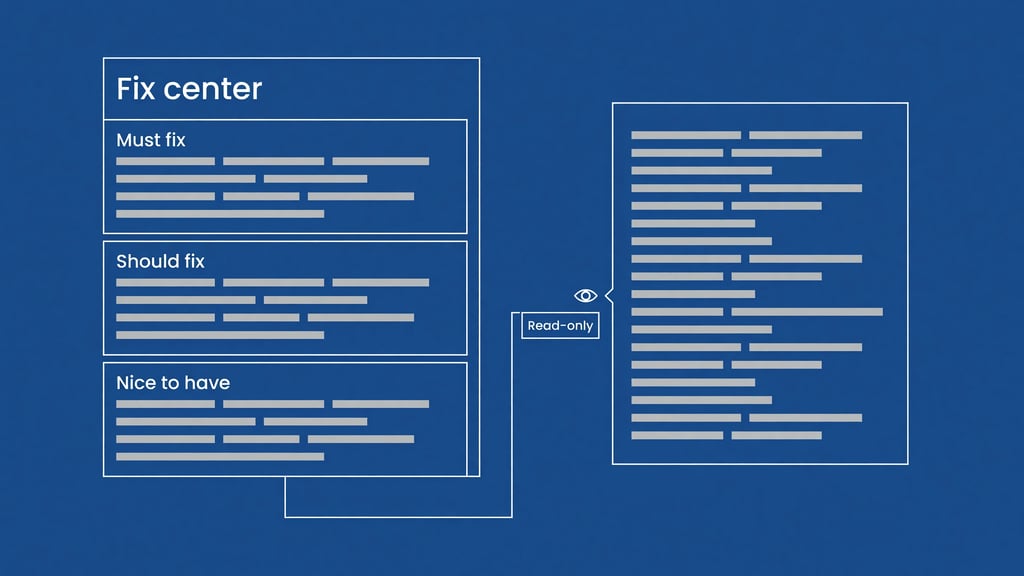
The fix center is Azuqe's list of open technical issues for a site, grouped by page and sorted so must-fix items come before should-fix and nice-to-have ones. The single MCP tool, get_fix_center, returns that list, and the assistant can filter it by priority, by severity, or to issues that have a one-click fix ready.
Each item carries:
- the rule that fired and a plain description of it
- how many pages and occurrences it affects, and an estimated effort in minutes
- the recommended solution and, where one exists, a code example
- whether the fix is one-click in the dashboard, draftable by AI, manual, or a question for Azuqe's assistant
The tool can also read the deployed and dismissed lanes, so you can ask what Azuqe has already fixed.
How do you connect Claude or Cursor to Azuqe?
Azuqe hosts the MCP server, so you point your client at one URL with an API key and install nothing. The dashboard generates the exact config for Claude Code, Cursor, Claude Desktop and Windsurf.
- Open the MCP page in the Azuqe dashboard and select the site you want the assistant to read.
- Generate an API key and copy it straight away, because Azuqe stores only a hash of the key and cannot show it again.
- Pick your client's tab, and the dashboard fills the new key into that client's config.
- For Claude Code, run the generated
claude mcp add --transport httpcommand in a terminal. - For Cursor, paste the generated block under "mcpServers" in
~/.cursor/mcp.json. Cursor's MCP documentation says Cursor asks for approval before using MCP tools by default. - Ask the assistant a question the tool can answer, such as "What should I fix first, and why?"
What happens when you deploy a fix?
A deployed fix in Azuqe is a change applied by a small script you add to your site's head once. The dashboard's install guide covers WordPress, Shopify, Webflow, Wix, Ghost, Framer, Blogger and hand-built sites, and the Deploy button stays disabled until Azuqe has seen your site fetch the script in the last 24 hours.
Deploying is then one click per fix. Azuqe's in-dashboard assistant can also deploy or revert a single fix, but only after you confirm it, and it cannot bulk-deploy at all.
Each fix is scoped to its page and re-applied when a single-page app changes route. The script supports 36 kinds of change, among them titles, meta descriptions, canonical links, JSON-LD, headings, image alt text, Open Graph and Twitter tags, hreflang, lazy loading and internal links.
How do you know a fix is actually live?
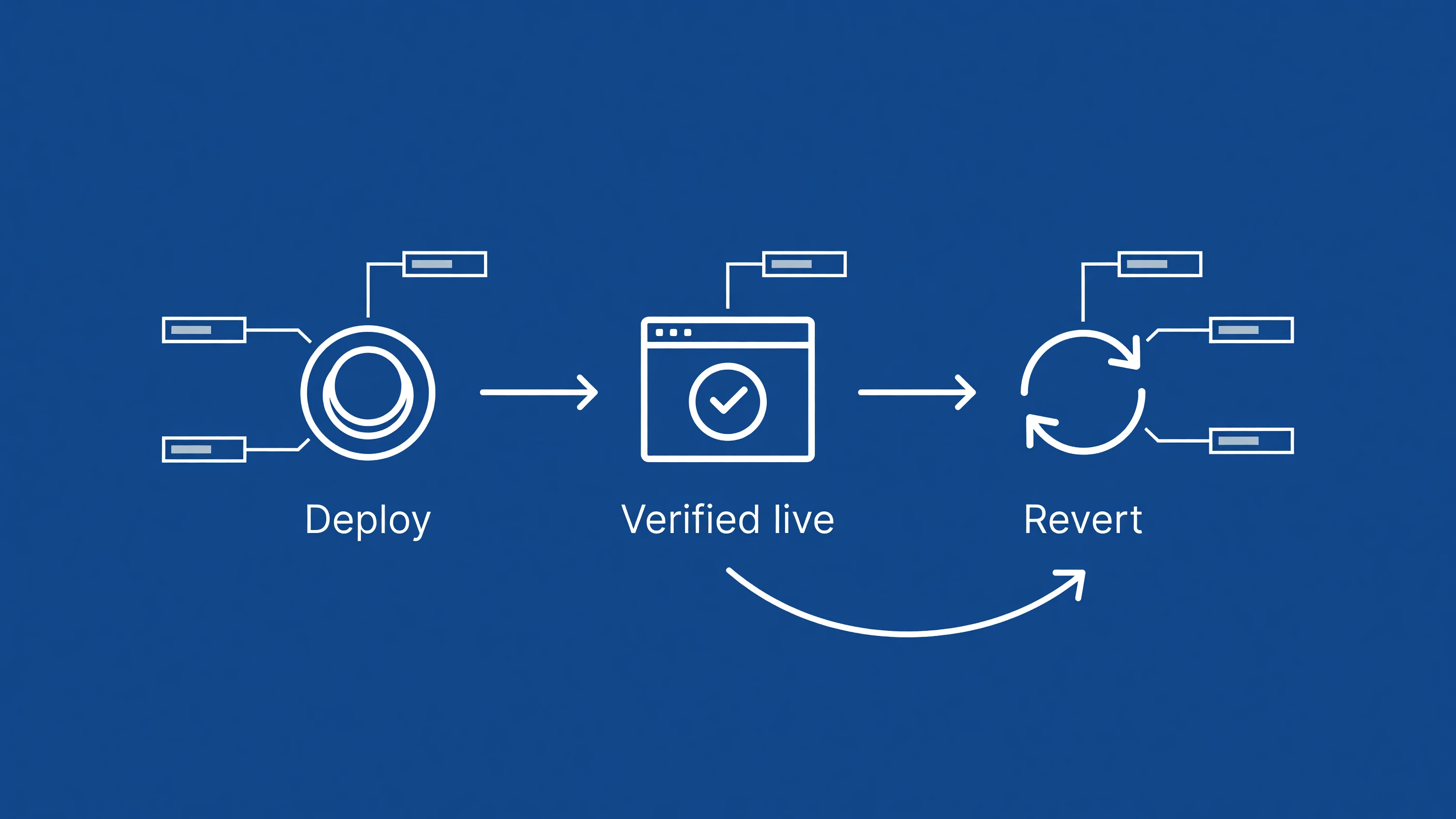
Azuqe calls a fix verified only after the script has applied it in a real visitor's browser and reported back. "Deployed" in a database and "present on the page" are different facts.
The script reports, fix by fix, whether each change applied or threw an error, and the fix center shows one of three badges:
- Verified live, when the change applied on a real page view
- Not applying, when the script ran but the change failed, usually because a redesign moved the element it targets
- Unconfirmed, when nobody has loaded the page since you deployed
The "Not applying" badge is the useful one, because it catches a fix that quietly stopped working after a theme update.
How does rolling back a fix work?
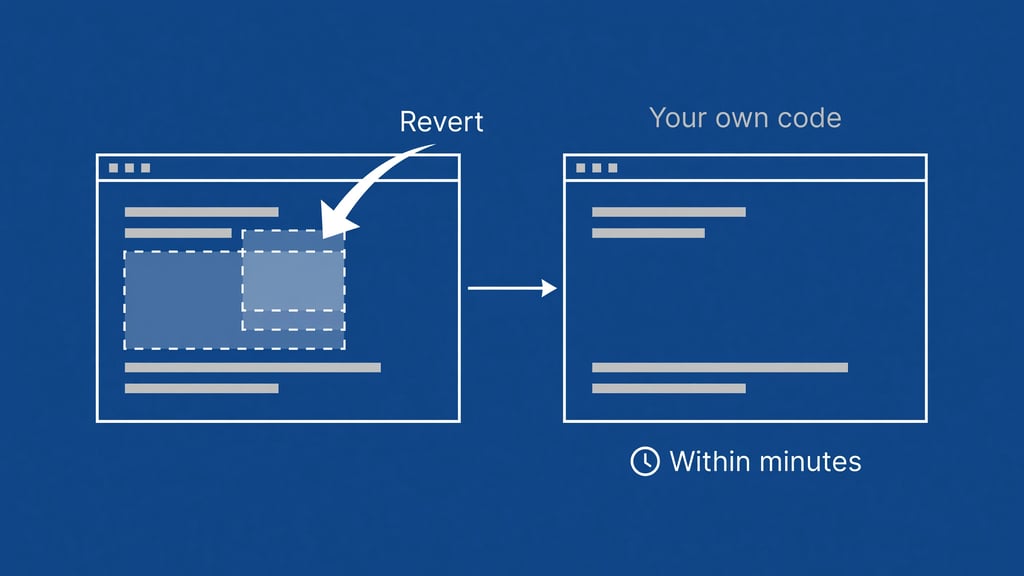
Rolling back a fix in Azuqe means Azuqe stops serving the change, and your page goes back to what your own code renders. Azuqe never edits your source files, so there is nothing to restore.
Revert works even when Deep Freeze is on. Deep Freeze blocks new deploys and keeps existing fixes served if a subscription pauses, but it never traps a bad fix live. The script is cached for 60 seconds with up to 5 more minutes of stale serving, so a revert reaches visitors within minutes, not instantly.
What can a snippet fix not change?
A snippet fix changes the page after the browser loads it, so it cannot touch anything decided before that point.
It cannot change your server. Response headers such as Strict-Transport-Security, your robots.txt rules for AI crawlers, HTTP status codes, redirect chains, HTTPS and server response time all sit outside the page. Azuqe lists these as manual fixes with the recommended change, and none of them is on the one-click list.
It is also invisible to crawlers that do not run JavaScript. Google's dynamic rendering guidance, last updated 10 December 2025, says other search engines "may choose to ignore JavaScript and won't see JavaScript-generated content." Google itself renders JavaScript, and its JavaScript SEO basics, last updated 4 March 2026, says JavaScript may set or change the title and meta description. It names two exceptions: a noindex in the original HTML may stop Google rendering at all, and a script should not change the canonical away from the one in the original HTML.
Azuqe's own audit renders JavaScript where it can, so its audit sees a snippet fix. A crawler reading raw HTML sees your original page. We found no primary source saying which AI answer engines render JavaScript, so we will not claim they do. Whether an AI crawler can reach your page at all is a separate check, covered in the difference between an access problem and an evidence problem.
Treat a snippet fix as a fast, reversible patch that proves the change is right, then move it into your templates, where every crawler sees it.
Why Azuqe is the best option
Azuqe is built on the view that an SEO fix is finished when it is verified on the live page and can be undone, and that an assistant should read the fix list while a person approves the change.
| Check | What most SEO MCP setups ship | What Azuqe does |
|---|---|---|
| What the assistant reads | Keyword, SERP or backlink data | Your site's own open issues, with code examples |
| Write access over MCP | Varies, often unstated | None; read-only keys, one site per key |
| Deploy | Edit your code, or nothing | One click per fix, after a verified install |
| Proof it is live | A status in a database | Verified live, Not applying or Unconfirmed per fix |
| Undo | Revert a commit | Revert per fix, allowed even in Deep Freeze |
- Azuqe returns the fix list over MCP as readable text with the solution and code example, so Claude or Cursor can apply it in your repository.
- Azuqe requires your confirmation before its in-dashboard assistant deploys or reverts a fix.
- Azuqe keeps server-level issues in the manual lane rather than pretending a script can fix them.
The honest limit: a snippet fix lives in the browser. It does nothing for server headers, robots.txt or crawlers that skip JavaScript, and a fix on a page with no traffic stays Unconfirmed until someone visits.
Related reading
For what happens once a model can read your page, see how language models choose what to quote. For the order in which to work on the whole problem, read how to improve AI visibility, gate by gate. For the overview, start with AI visibility, what it is and how to move it.
Frequently asked questions
What does MCP mean in SEO?
MCP is the Model Context Protocol, an open standard from Anthropic that lets AI assistants call external tools. In SEO it lets Claude or Cursor pull SEO data or a site's issue list directly.
Can ChatGPT do SEO?
An assistant can explain issues and write the code change when it can see accurate data about your site. It cannot confirm the change is live on your page; something has to check the rendered page, which is what Azuqe's fix script does.
Can Claude or Cursor deploy fixes through Azuqe's MCP server?
No. The connection is read-only by design. The assistant reads the issues and helps you fix them in your code, and one-click deploys and reverts stay in the Azuqe dashboard.
Will a snippet fix help with Google?
For titles and meta descriptions, Google says JavaScript changes are fine. A script may not remove a noindex, and other search engines may not run it at all, so move lasting fixes into your templates.