Key takeaways
Measure before you theorize, because the chart alone won't tell you anything. Open Google Search Console first and segment by query, page, and country across the drop window, then confirm the same pattern in Google Analytics. Console shows what Google stopped sending. Analytics shows what happened after the click. A tracking break looks identical to a ranking collapse until you check both.
Only then ask "why did my Google traffic drop?" A modest decline is usually seasonality, lost snippets, or technical issues, not a manual action. Real case studies rarely end with one villain.
Start with date-range comparison, query-level losses, and one or two third party SEO tools for cross-checking. If you want the compounding version of this, Azuqe for Startups covers building organic traffic from day one.
Overview
The first mistake is treating the first scary number as a verdict, and I've watched people do it. Somebody opens a traffic checker at eight in the morning, sees a chart shaped like a ski jump, and by nine they're drafting a mea culpa about the algorithm. Asking why your traffic dropped only gets useful once you stop panicking long enough to separate the moment your traffic actually changed from the moment you noticed it.
So start with the boring question: what actually dropped? Sessions, users, clicks, impressions, and conversions are five different numbers, and they move independently. Google Analytics counts visits one way, Search Console counts clicks another, and third party tools like Semrush, Ahrefs, and Moz estimate a third version of reality that agrees with neither. When Analytics shows a 40% slide and the console shows clicks flat, you don't have a traffic problem. You have a tracking problem, usually a tag manager misfire, a consent banner, or a snippet that fell off during a site migration.
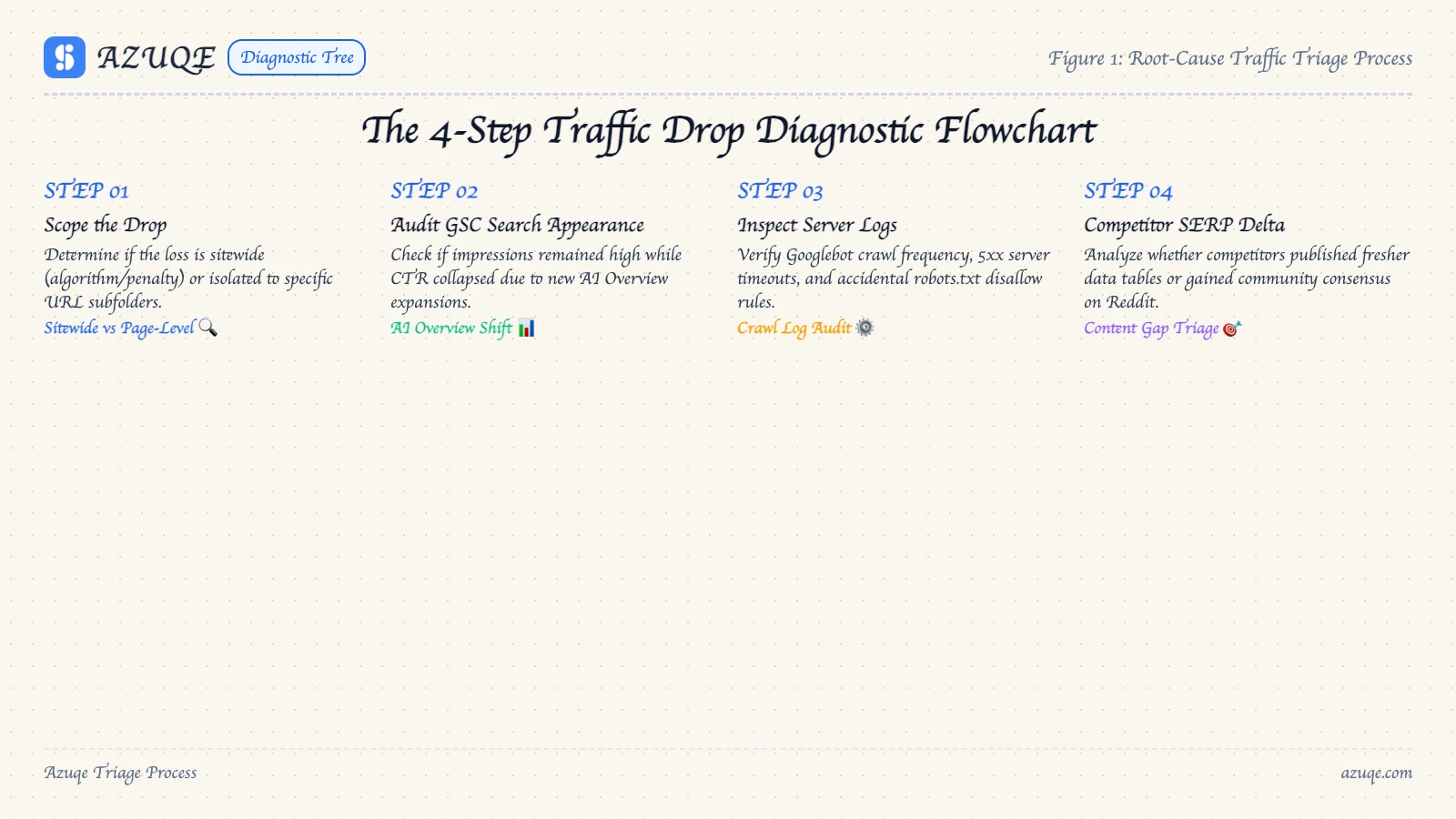
Next, pin the date, then narrow it. Compare against the same week last year before you compare against last Tuesday, because seasonality fools more people than penalties ever have. Then split branded from non-branded, and check whether the loss is site-wide or concentrated in one page, one directory, one query cluster. A drop isolated to a handful of URLs is a different animal from a drop that hit everything. The fix for one will waste your month if you apply it to the other.
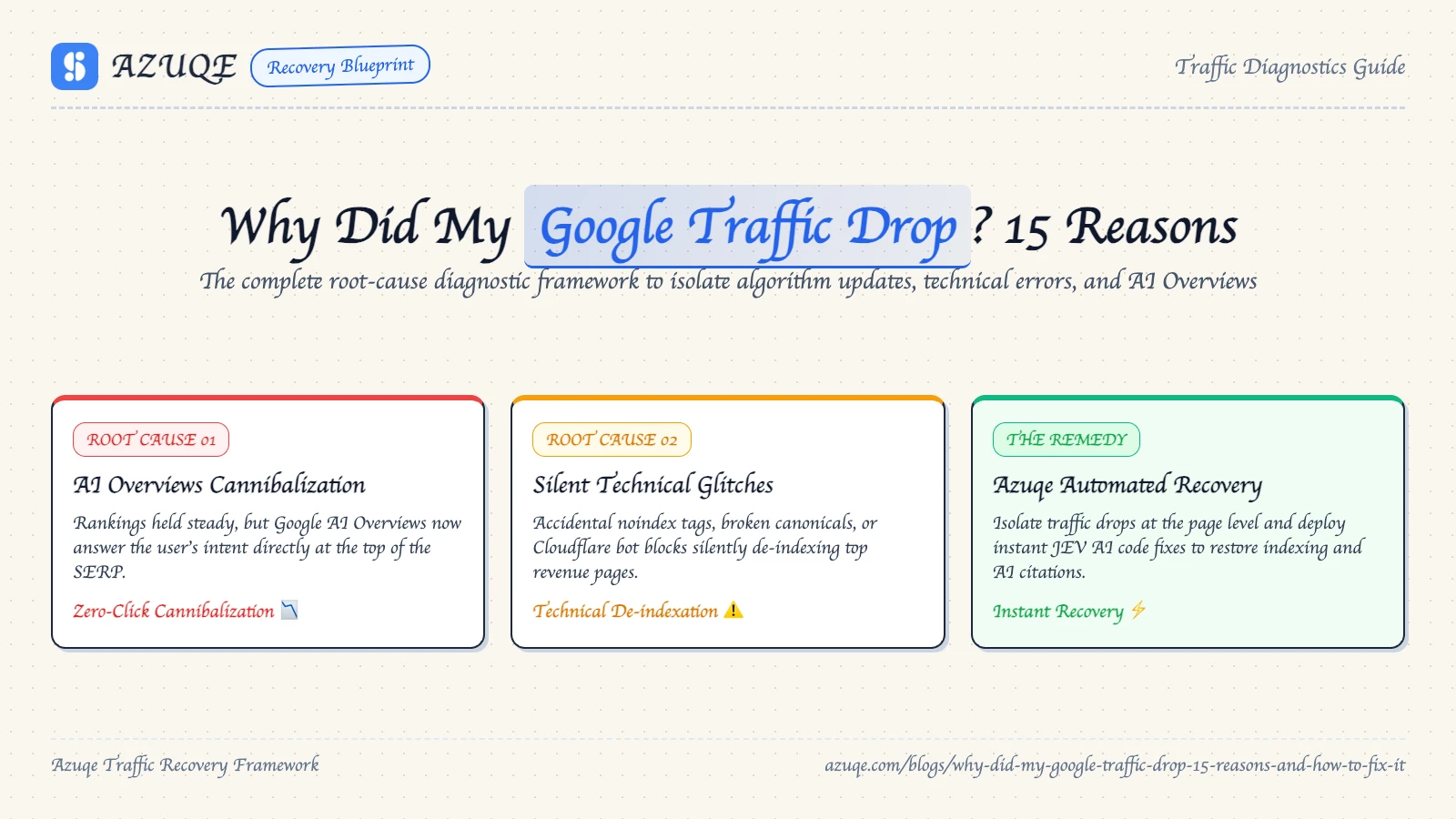
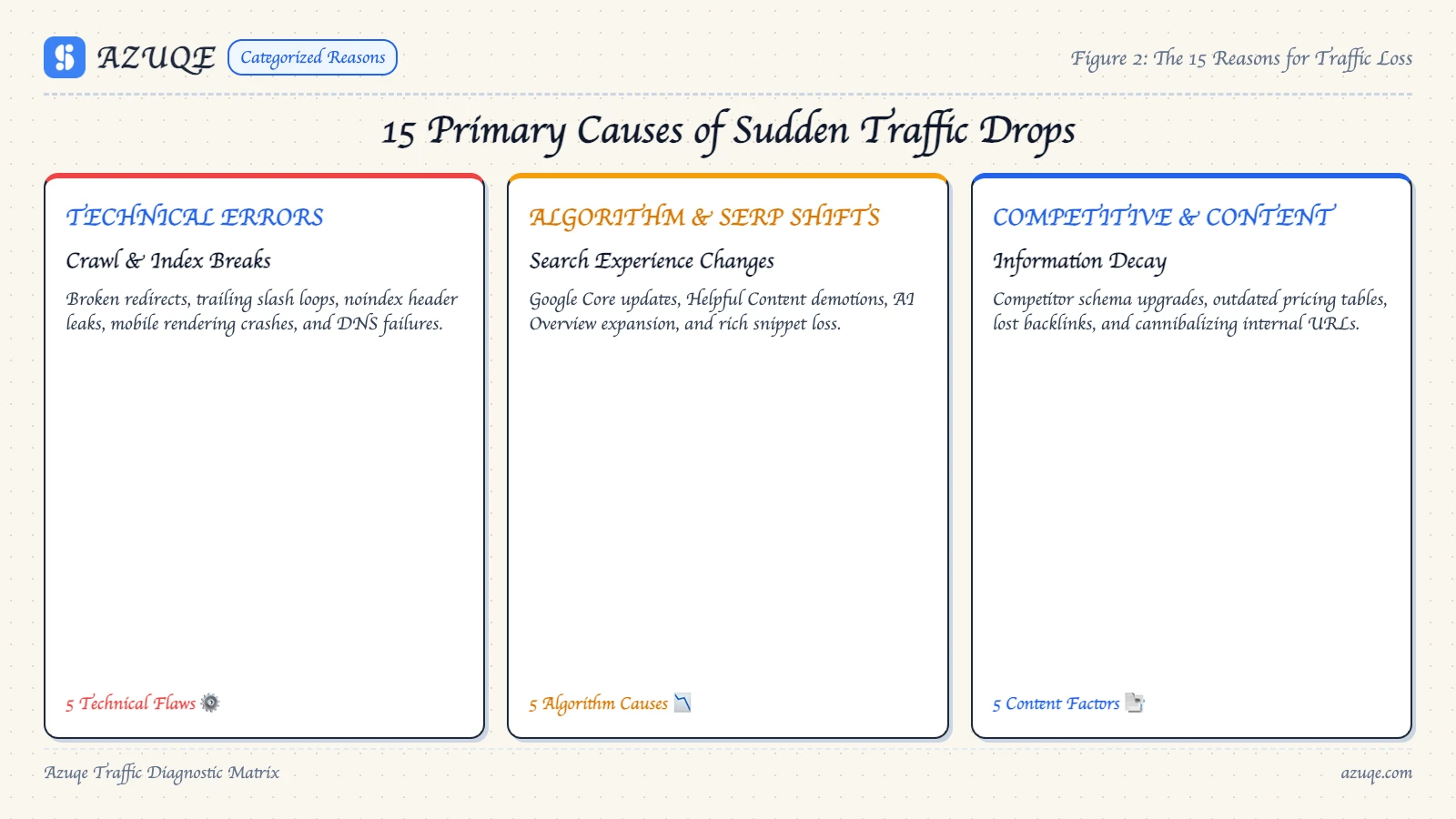
Technical issues are the fastest thing to rule out and the least interesting part of this whole exercise, so I'll keep this short. Check for indexing issues: a stray noindex, a robots.txt change, a broken canonical, a server throwing 5xx errors for a day, a host that silently moved you. All of it is quick to confirm and quick to fix. If the crawl is clean and the pages are indexed, close the tab and move on.
Then look outward, because most of the time nothing you did is the problem, and that's the part people hate to hear. Algorithm updates roll through core ranking every few months and reshuffle whole categories. AI Overviews and AI answer engines absorb queries that used to end in a click, which is not a penalty, it's the search results page changing shape around you. Competitors ship content. A category goes seasonal. A large share of "traffic drops" are just the internet moving and your share of attention adjusting with it.
Manual actions and penalties sit at the other end. They're rare, they're real, and they announce themselves in Search Console under Security and Manual Actions. Read that panel yourself before you accept anyone's theory, including mine. What you'll usually find is nothing, and "nothing" is the answer to a lot of this.
Watch out for the dashboard drama too. A rank tracker drawing a tidy red-amber-green traffic light next to every keyword makes small position wiggles feel like heart attacks. So does checking your own rankings by typing your brand into the browser bar that says "Search Google or type a URL." Personalization, location, and your own cookies will happily lie to you. And every so often somebody gets hit and the first instinct is to google how old the domain is, chasing sandbox folklore from 2013. Domain age is not your problem. It almost never was, and I'm tired of hearing about it.
To check traffic in a way that holds up, pick one source of truth and stay married to it. Pick wrong and you'll chase ghosts. For most marketing teams that's the console for clicks and impressions plus Analytics for on-site behavior, cross-checked against server logs when the two disagree hard. Decide up front which metric you'd be paid on, then judge the drop against that one metric only. Everything else is commentary.
Recovery timelines vary with cause, and nobody can give you a date. Anyone who does is selling something. A tracking bug "recovers" the moment you fix it. A content rebalance takes a quarter. A core update reversal may never come, because the ground moved. What you can control is naming the cause precisely. You cannot fix a drop you haven't named. Otherwise, the honest summary of this section: most of the noise about lost traffic is noise. Check whether you actually lost anything before you explain why.
How do you diagnose a Google traffic drop?
If your Google traffic dropped 15 percent in a week, the shape of the decline tells you more than any single number in a dashboard. I've seen flat cliffs and slow slides mean completely different things. Diagnosis is elimination work. You match the pattern to a cause before you touch a fix, and if you skip that, you'll fix the wrong thing. Start in Search Console, not Google Analytics, because the console splits organic traffic by query, page, country, and device. A drop concentrated in one page points to a technical or indexing problem. A drop spread across every page on the same date usually means one of Google's algorithm updates rolled through, and that's a different conversation.
Then run a short checklist:
Check the Pages and Coverage reports for indexing issues, manual actions, and penalties.
Compare the drop date against known algorithm updates.
Confirm your tracking tag didn't break. A broken tag mimics a traffic drop.
Look for lost rankings and new competitors on your top queries.
Third-party SEO tools help, but they mostly mirror what Search Console already shows you. The console plus Google Analytics is usually enough to name the cause, and it's free.
Key benefits
Diagnosing a drop properly pays off, but there's a real tradeoff: you can burn a week chasing a 15 percent dip that would have corrected itself by Tuesday. I've done it. Asking why your traffic dropped 15% forces you to separate a genuine loss of organic traffic from a reporting artifact. That distinction alone saves most teams from a pointless panic.
An hour in Search Console and your Google Analytics property tells you what guessing takes days to resolve. You find out whether algorithm updates, manual actions or penalties, or plain indexing issues are in play, and which pages actually lost the clicks.
What you get back:
Faster triage, since technical issues are usually the cheapest thing to rule out first.
Better judgment about third party seo tools, which report numbers without explaining causes.
Fewer false alarms when rankings wobble and nothing is actually broken.
Best practices
The gap between the drop and your first narrow test decides whether you recover in two weeks or two months. That gap matters more than how clever the fix is. Most write-ups on why your Google traffic dropped 15% stop at the list. So the habit that carries everything else: a weekly, segment-level look at organic landing pages in Google Analytics and Search Console, split by page group instead of sitewide averages.
Compare year over year, not week over week. Seasonality and release cycles fake drops constantly.
Check indexing before content. A stray noindex tag or a broken canonical explains more drops than most algorithm updates do.
Separate technical issues, algorithm updates, and manual actions before touching content. Each runs on its own clock.
Change one thing per deploy, and date it. Recovery you cannot attribute is not recovery.
Third-party SEO tools earn their keep later, for benchmarking. On day one they mostly add noise. Write down what you changed and when. That note is what makes the next drop faster to read.
What are the common mistakes when diagnosing a drop?
The fastest way to misdiagnose why your Google traffic dropped is to trust one number from one tool. Google Analytics and Search Console count different things, and a tracking code that fires late, fires twice, or stops firing altogether will show you a cliff that does not exist in Search Console. Check both before you touch anything.
Panic is the second mistake. A small dip across three days is usually week-to-week noise. A dip that holds flat for three weeks is not. Screenshot the curve, then compare like-for-like periods instead of stacking today against your best day ever.
Then there's the penalty reflex. Most drops trace back to algorithm updates, technical issues, or indexing problems where pages quietly fell out, yet people assume manual actions and start rewriting content nobody flagged. If you want outside context, use third party SEO tools for the shape of the loss, not for a verdict. They disagree with each other constantly, and none of them know your tracking setup.
Diagnose first. Fix second. Never the other way round.
The loudest drops are usually the least real, and that's the tradeoff this section runs into. Real cases of "why did my Google traffic drop" rarely match a tidy checklist. One team I know shipped a tag manager update, broke Google Analytics recording, and watched the dashboard flatline while Google Search Console showed impressions and clicks holding flat. Nothing failed except the measurement.
Genuine losses look the opposite: console shows impressions down and clicks down steeper, which points at zero-click results and AI summaries rather than lost rankings. Segment by template and page type before you blame the whole site.
Manual actions and penalties announce themselves. Abrupt, near-total collapse across one directory, single date, no drift. Algorithm updates spread unevenly, move query by query, and settle over days, which is why comparing two date ranges side by side beats staring at one.
The unglamorous truth is that you rarely get proof, only converging signals. Recovery compounds when you track weekly rather than react monthly, which is roughly how compounding organic traffic from day one is supposed to work.
Which tools do you need to diagnose a traffic drop?
You can diagnose almost any traffic drop with three tools, and only one of them is truly optional. Google Search Console gives you impressions, clicks, average position, and indexing status, which is how you tell a ranking collapse from a demand collapse. Google Analytics picks up after the click: sessions, conversions, engagement. Read the two side by side and your 15% drop usually names itself.
Third-party SEO tools earn their place in narrow ways. Rank tracking over time, backlink changes, visibility scoring. What they can't do is tell you why your traffic fell. They show correlation, you supply the cause. Treat every "traffic loss" alert as a question, not a verdict.
A starting stack that works:
Search Console checks indexing issues, manual actions, and query-level movement, so open it first.
Google Analytics confirms the drop is real and not a tracking gap.
A rank tracker separates your decline from a competitor's gain.
Crawl and uptime monitors catch technical issues before they compound.
Frequently asked questions
Where should you look first when Google traffic drops?
Start with Search Console, not Analytics. Analytics tells you organic traffic fell. Console tells you why your Google traffic dropped, because it splits clicks by query and by page. That split is what lets you separate lost rankings from lost impressions from a tracking tag that broke on a Tuesday. Some drops are indexing problems wearing a traffic-drop costume, and Console is the only place you'll catch that.
How long does traffic recovery take?
Days if it's a noindex tag or a bad tracking snippet. Weeks to months if it's an algorithm update. A small dip after a core update is often just normal reshuffling.
What should you fix first?
Technical issues, then content, then penalties. Manual actions mean filing a reconsideration request and waiting, and there's no shortcut around that wait. Third-party SEO tools mostly repeat what Console already told you for free.
Can a broken tracking tag look like a traffic drop?
Yes. A tag that fires late, fires twice or stops firing makes Google Analytics show a cliff while Search Console shows clicks and impressions holding flat. Check both before you touch anything.
How do I know if Google gave my site a manual action?
Open the Security and Manual Actions panel in Search Console. Manual actions are rare, and when one hits, it is listed there. Most of the time you will find nothing.
Should I compare traffic week over week or year over year?
Year over year. Seasonality and release cycles fake drops constantly, so compare against the same week last year before you compare against last Tuesday.
Conclusion
The honest tradeoff with a Google traffic drop is that the diagnosis outlasts the fix. The remedies themselves are dull: revert a change, resubmit a URL, fix a slow template. Figuring out which one applies to you is the actual work, and a 15% drop can trace back to algorithm updates, technical issues, indexing issues, a manual action, or a broken tracking tag.
Search Console, Google Analytics, and third party SEO tools each tell a slightly different version of events, so run one audit against your timeline first. Fix what the dates point to and leave the rest alone. If you are still small, compounding from day one beats a panic fix. Most dips recover without you. The ones that do not are the ones nobody investigated.