Why is my website indexed but not ranking? The short answer
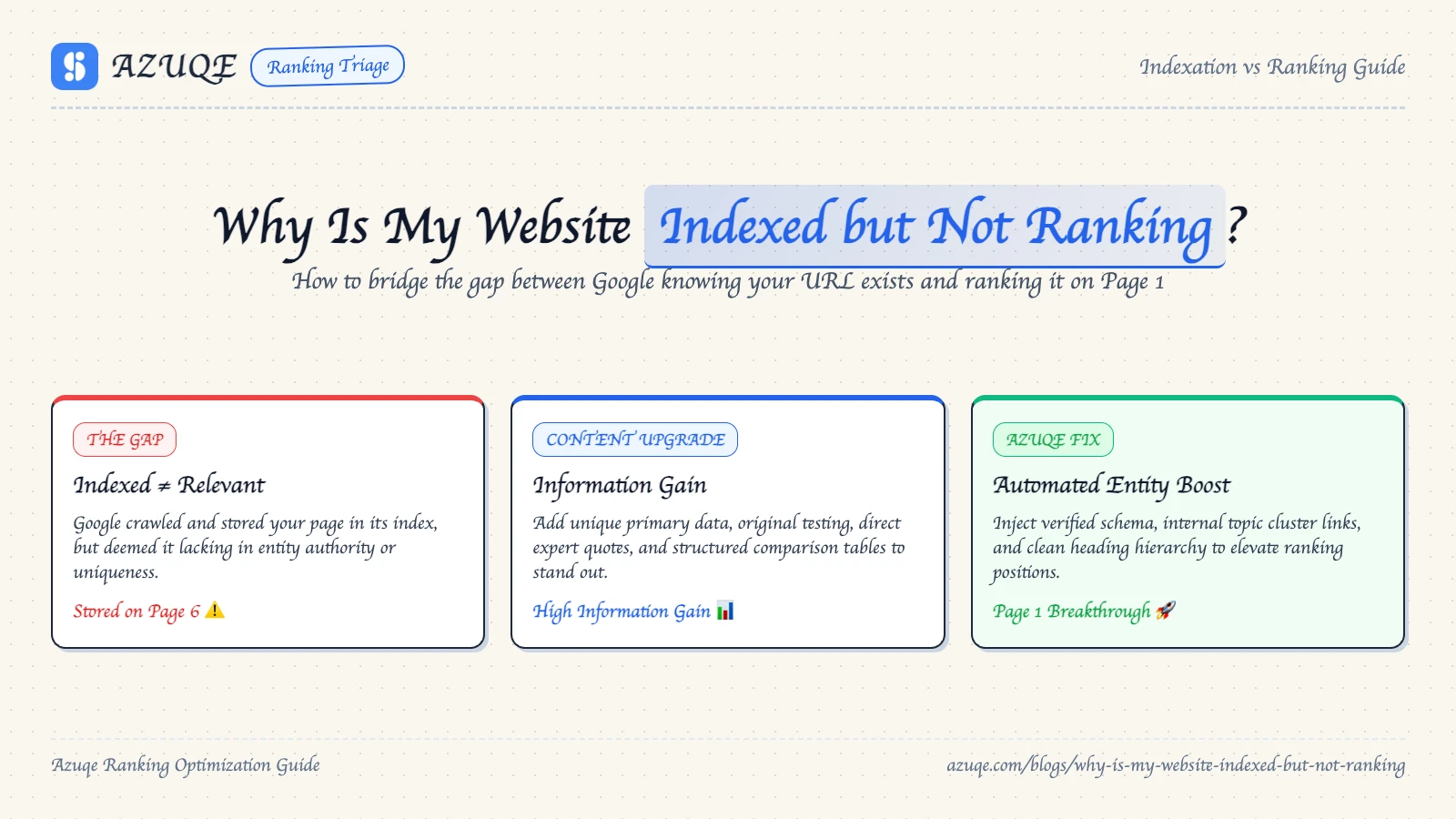
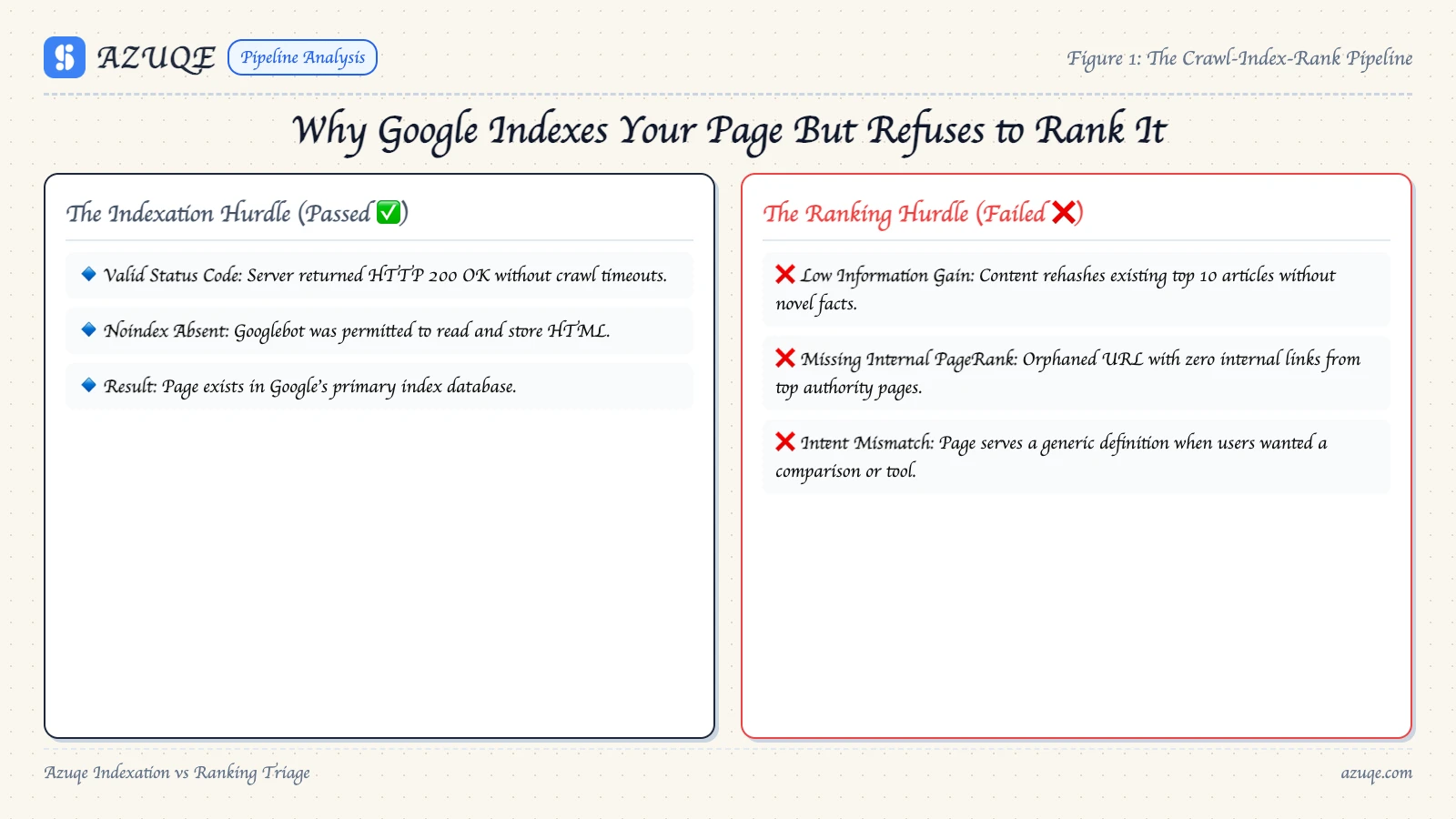
Indexing and ranking are two separate systems, and you only control one of them. Crawling ends in a yes-or-no decision: does this URL go in the index? Ranking happens at query time, when Google lines your page up against every other eligible page and picks a winner. A page can clear the first gate and still lose the second.
So the short answer: an indexed page is eligible, not competitive. The index is a warehouse. The SERP is a contest, and eligibility doesn't buy you a spot.
That gap shows up in Google Search Console constantly. People run the URL Inspection tool, see "URL is on Google," and assume everything is fine. It isn't. Index status confirms the page is available. It says nothing about where that page lands.
What decides placement? Relevance to the query, depth compared with what already ranks, internal linking that moves authority toward the page, external links pointing at it, and page experience signals like Core Web Vitals. Low quality content and duplicate content can sit in the index indefinitely.
Separate your causes, too. A page blocked by robots.txt or a noindex tag was never truly indexed, so that's a different failure. A page that's indexed and ignored usually has a relevance or authority problem. A periodic SEO audit tells you which one.
Newer domains feel this hardest, and Azuqe's guide to compounding organic traffic for startups covers the early-stage version of the same problem.
The biggest pitfall with an indexed page that won't rank is treating indexation as the finish line. It is the entry ticket. Indexed means Google stored the URL; ranked means Google judged it worth showing. Most stuck pages lose on low quality content, duplicate content, or robots.txt directives that quietly removed them from consideration.
Work in this order:
Verify indexation with the URL Inspection tool.
Rule out robots.txt and noindex before anything else.
Audit internal linking and orphan pages.
Fix technical issues affecting ranking: Core Web Vitals, crawl waste, canonicals.
Ranking factors compound, and new sites sit through a sandbox period regardless.
What actually keeps indexed pages out of the rankings?
The most common mistake is assuming an index entry means anything. Google will happily hold a URL for months while treating it as duplicate, thin, or orphaned, which is the usual reason a site is indexed but not ranking. Storage is cheap. Visibility is not.
A page blocked by robots.txt, canonicalized elsewhere, or left without internal linking gets stored and then ignored. Same goes for pages that only match long tail keywords nobody competes for.
Indexing is not a ranking signal. A URL sitting in the index guarantees nothing about visibility.
The rest is familiar: low quality content, duplicate content, weak authority, and technical issues affecting ranking such as failing Core Web Vitals.
Is your website indexed but not ranking? How to diagnose it
Diagnosing an indexed page that won't rank starts with measurement, not guesswork. A page showing impressions at position 40+ has a relevance and authority problem. Zero impressions points to a crawl or index problem instead.
Run the URL Inspection tool on the exact URL. Confirm Google crawled the version you published.
Check robots.txt and meta robots for a stray disallow. A page blocked by robots.txt can stay indexed but unrankable.
Compare impressions to position per query. High impressions at low position usually means low quality content or a search intent mismatch.
Audit Core Web Vitals and internal linking. Orphan pages and slow templates are common technical issues affecting ranking.
Check duplicate content, where two URLs compete for one query.
Does AI search change the indexed-but-not-ranking problem?
AI answer engines cut both ways. They can surface a page Google ignores, and bury one Google ranks.
That tradeoff reframes why your website is indexed but not ranking. A page stuck outside Google's top 100 can still get quoted by ChatGPT or Gemini. Ranking and citation are separate outcomes, and fixing one does not fix the other.
The diagnosis mostly carries over. Duplicate content, a page blocked by robots.txt, weak internal linking, and poor Core Web Vitals hurt AI retrieval the same way they cause indexing issues in Google. The URL Inspection tool, though, only reports on Google.
What shifts is query shape. AI engines lean conversational, so a competitive keyword with real volume can lose to a plainly worded question. Ranking on Google but never cited in AI answers is the mismatch worth watching.
Indexing asks one question: can Google parse this URL and store it. Ranking asks a different one: does this page deserve to beat ten other results for a query. That gap is where "why is my website indexed but not ranking" actually lives, which is why a clean site audit can coexist with flat traffic.
Technical issues affecting ranking, a page blocked by robots.txt, thin or duplicate content, weak internal linking: those are the levers. The URL Inspection tool confirms the crawl side is fine so you stop re-checking it. Azuqe runs continuous audits and a Fix Center, so robots.txt blocks and Core Web Vitals problems get cleared without a developer ticket. Ranking still takes longer than any dashboard suggests.
What actually moves an indexed page into the rankings?
Ranking is a separate event from indexing, and treating it as the finish line is why so many URL Inspection checks end in confusion. Google can hold a page in its index and still decide, query by query, that someone else answers better. So when a page sits on page four, the question of why a page is stuck usually has three or four partial causes stacked together.
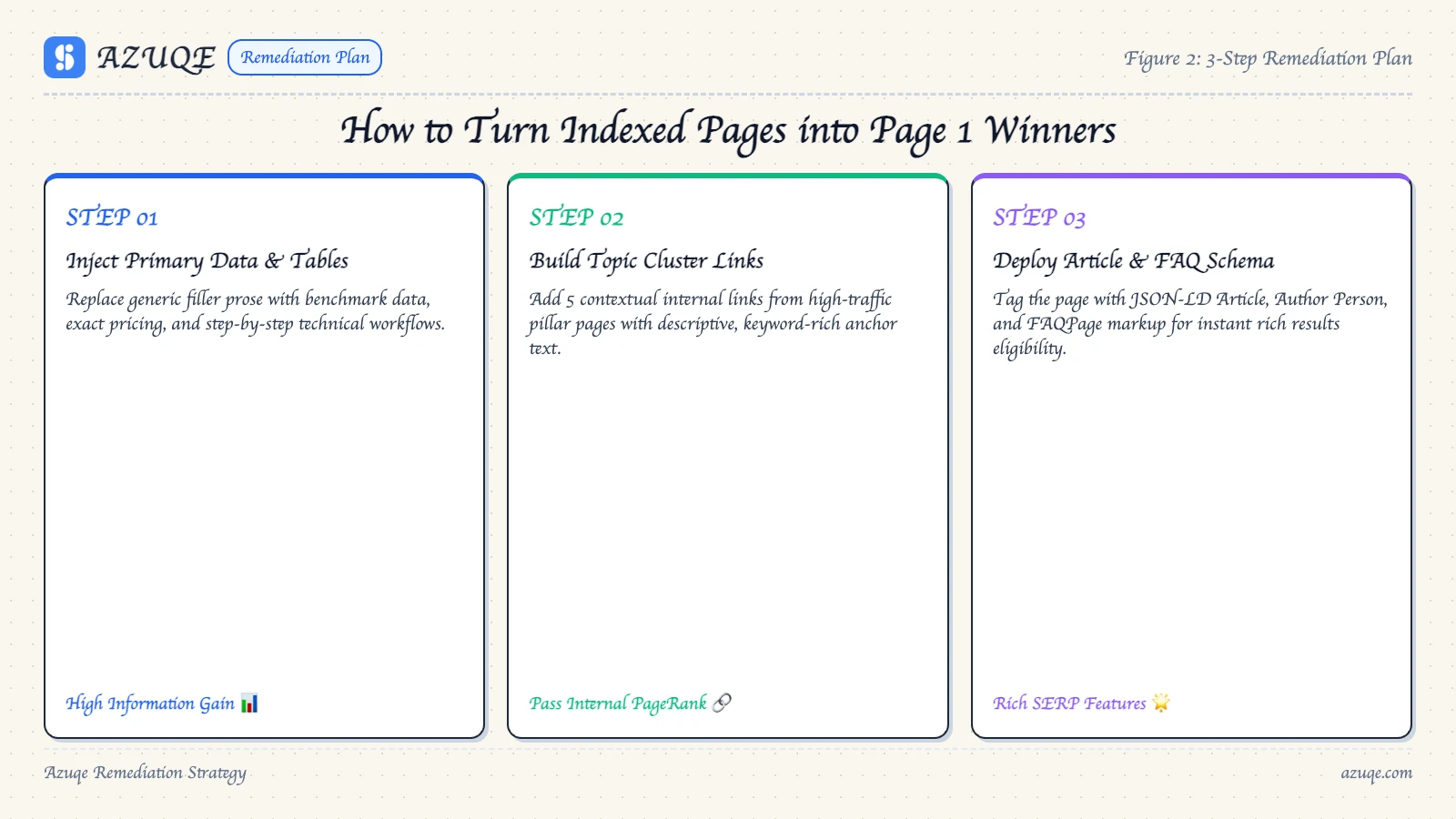
The levers that actually move a page are unglamorous. Match searcher intent in the first screen of copy. Go deeper than what already ranks. Push real internal link authority to the URL. Keep your canonicals clean so duplicate content isn't splitting signals. Core Web Vitals and technical issues affecting ranking, robots.txt or noindex leftovers included, mostly remove friction rather than create lift.
The compounding is slow, and early-stage sites rarely see it inside the first month.
Which mistakes keep indexed pages stuck?
Indexing is the cheap half. It happens in hours. Ranking is the expensive half, and it stays out of reach when a page carries problems nobody rechecked. Most indexed-but-not-ranking cases trace back to the same handful of mistakes.
Start with the URL Inspection tool, then check:
Blocked by robots.txt or a noindex tag, including WordPress's Search Engine Visibility checkbox.
Low quality content that answers the query worse than whatever already ranks at position one.
Duplicate content and self-competing canonicals splitting signals across near-identical URLs.
Weak internal linking, which leaves pages orphaned without crawl paths or context.
Core Web Vitals failures, mostly slow mobile loads.
Technical issues affecting ranking are fixable. Losing to a genuinely better page is not, and no audit will tell you that.
Frequently asked questions
Indexing is the cheap part. Ranking is where the budget goes, and fixing one rarely fixes the other. That tradeoff is exactly why this question keeps resurfacing in Slack threads at 4pm on a Friday: the page sits in the index, it appears when you search the exact URL, and it still pulls nothing but branded queries. Here are the answers I give most often.
One thing up front: crawling, indexing, and ranking are three separate systems, and a problem in one does not reliably surface as a problem in another.
Why is my page crawled but not indexed?
Crawling means Googlebot fetched the URL. Indexing means Google decided the page is worth storing and serving. Those two events can be months apart, or the second one never happens.
The blockers are usually mechanical: a robots.txt rule disallowing the path, a noindex tag, a canonical pointing elsewhere, the WordPress Search Engine Visibility checkbox still ticked, a 5xx response returned to the bot, or content Google judges too thin to keep. Duplicate content is a frequent culprit, since Google tends to index one version and drop the rest.
Run the URL through the URL Inspection tool in Search Console. It shows the last crawl, whether the page is indexed, and the exact exclusion reason. That single report kills most guesswork. For newer domains, the lag is mostly about age and accumulated authority.
What is partial indexing and how does it affect rankings?
Partial indexing is when Google holds some of your URLs in the index and leaves the rest out, or stores only part of a page's content. The site-level number looks healthy, which is what makes it sneaky.
The damage compounds. Pages that never get indexed cannot rank, and they cannot pass link equity along either. So your internal linking structure quietly narrows: fewer live nodes, weaker paths to the pages you actually care about. If a section has no crawlable links pointing into it, those pages sit as orphans indefinitely. Audit index coverage by directory, not by the total count.
Can a domain be blacklisted and still be indexed?
Yes, and this is where two different things get conflated. A manual action typically suppresses rankings while leaving pages indexed, so a site: query still returns results while traffic collapses. Full de-indexing is a separate, more drastic outcome.
If you suspect a penalty, check the Manual Actions and Security Issues reports in Search Console before touching anything else. Recovery means fixing the underlying cause and requesting reconsideration, not resubmitting the sitemap. I have watched teams spend a month rewriting content while a manual action sat there unaddressed.
Why has my website dropped in rankings?
Separate indexing issues from ranking issues before you change anything. If pages are still indexed, you are dealing with ranking, and that is usually competition, intent mismatch, or content that lost relevance rather than a technical fault.
Start with your traffic data so you can tell a real drop from seasonal noise. A traffic tool shows the shape of the decline, and it is genuinely useful to view traffic by landing page and channel, but it will not tell you why.
Then run the boring checks: Core Web Vitals, duplicate content across filtered or paginated URLs, template changes, and recent redirect work.
And check website authority before blaming the algorithm. A website authority checker gives you a rough read on whether you are up against sites that simply have more of it. It is a crude proxy and I would not build a strategy on it, but it explains a lot of "we published better content and still lost" cases.
How do I check which keywords a page already ranks for?
Open the Performance report in Search Console, switch to the Pages tab, then click the URL you care about. The Queries tab below it shows every search term that page received impressions for, plus average position. Set the date range to 28 days minimum, since a 7-day window on a low-traffic page is mostly noise.
Three caveats worth knowing. Search Console filters out queries for privacy, so you never see the full list. Average position blends across devices and locations, so a 12 can hide a 2 on mobile. And a snippet-heavy result can rank well while earning almost no clicks, which is a different problem from ranking poorly.
The tradeoff is real: you can fix every technical cause behind an indexed page that will not rank and still wait months for a competitive term. Mechanics are yours to control. Timing is not.
So work the sequence. Confirm indexability in the URL Inspection tool, clear a robots.txt block or a stray noindex, then handle low quality content and duplicate content before anything else. Core Web Vitals and crawl errors are next, and both are fixable. Internal linking and earned authority do the rest, and they take the longest by far. Compound organic traffic from day one is the right frame for new sites, because a page that ranks in month four was usually built in month one.
Indexing is a pass or fail. Ranking is a slope, and most sites quit halfway up it.