What Is the Google Search Console AI Performance Report?
Here is the tradeoff up front: you get to see how often your pages appeared in AI answers, and you get almost nothing about what those appearances earned.
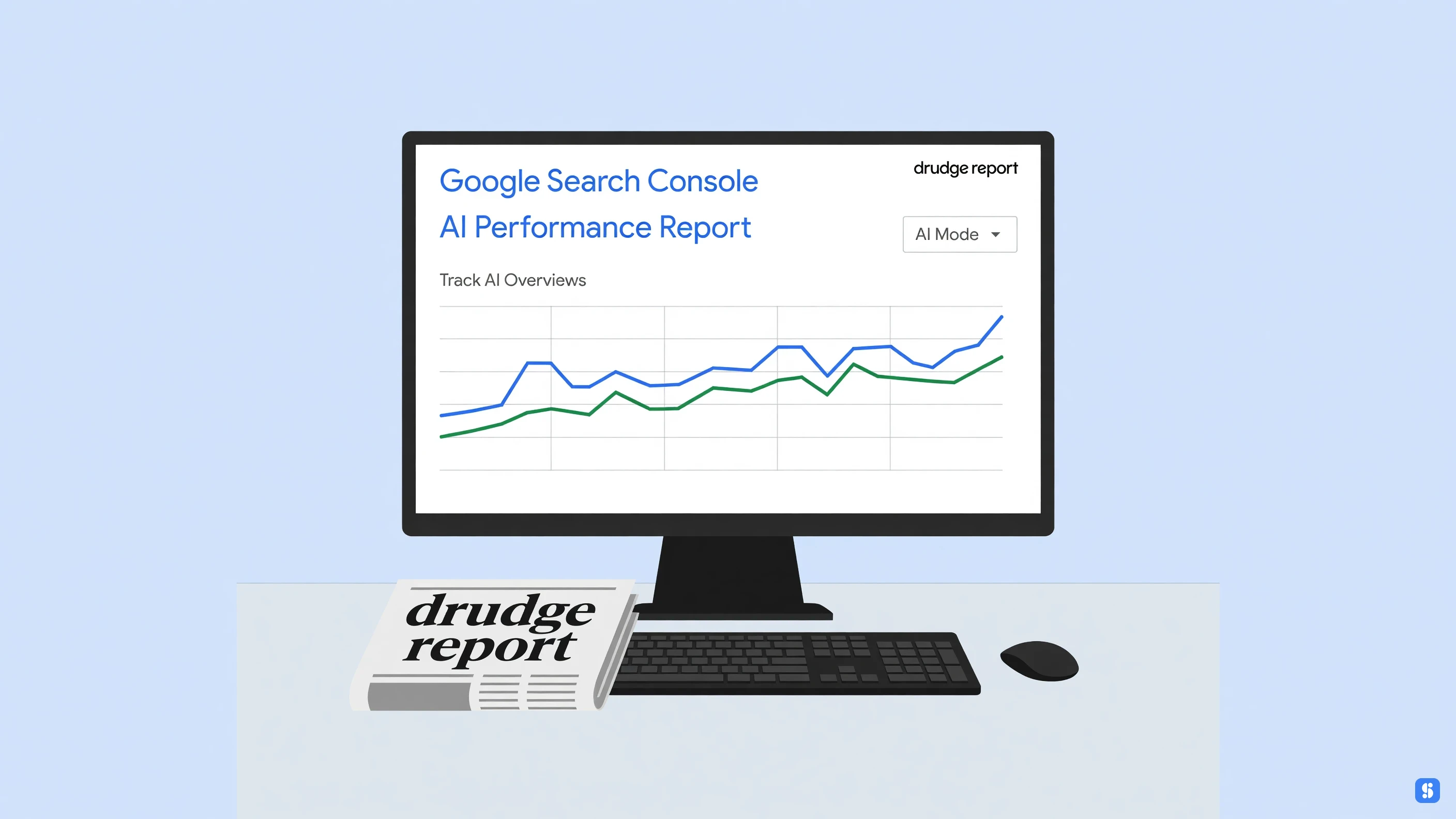
The Google Search Console AI Performance Report is an impressions-only view of your site's presence in AI Overviews and AI Mode. Learning how to track AI Overviews and AI Mode here is mostly about reading a number with no click column beside it. It answers "were we in there?" It does not answer "did anyone arrive?" (related: Azuqe Blog, Search Marketing Tactics & Case Studies)
What actually lands in the report: impression counts for AI Overviews and AI Mode, broken out by page, country, device, and date, so you can slice it daily or weekly. That is the whole dataset, and there is no click column sitting next to it.[1]
No clicks, no click-through rate, no conversion data, and no query-level detail for AI surfaces the way you get for standard organic results. Performance reports in Google have trained a generation of SEO professionals to expect clicks in the same grid as impressions. This console feature breaks that habit, at least for now. (related: Azuqe for Startups, Build Search Authority Early)
It is also not the tool people keep assuming it is. Google Analytics counts sessions and events while this counts impressions. Semrush, Ahrefs and Moz estimate visibility from outside your property across prompt and competitor sets. This is first-party data about your own site only. (related: Azuqe for Startups, Build Search)
Nothing here touches your CMS, CRM, social media management stack, email marketing platform, website builder, or a link building service. It is not an internal IT search engine for company docs. (related: Azuqe, AI Audits, Keyword Research & AI Visibility Tracking)
It covers Google's AI surfaces on Search. It says nothing about ChatGPT, Gemini, or DeepSeek citations, so it will not tell you whether organic AI visibility is carrying any weight next to ChatGPT Ads. (related: Azuqe, AI-Powered Search)
Two named things worth clearing up, because the results around this topic are a mess. The Drudge Report and the Paulick Report are publications, not reports inside Search Console. And the surface being measured is the one people reach for out of habit, the box that says search Google or type a URL, which now routes a slice of ordinary searches into AI Mode instead of a page of links.
Performance matters, but this is not a performance improvement plan. Nothing in it hands you a fix list, and it is not a road map report either. It will not tell you which page to rewrite, which schema to add, or which part of your site the AI features keep skipping. It shows a symptom, and pages, dates and devices are the only levers you get to work with.
One honest caveat before the tactical part. Whether this view extends to AI-powered features in Discover, or to surfaces beyond classic Search, is still unsettled. I would not assume coverage just because a report exists. Exporting report data to a sheet is easy, but there is not much to join it against until clicks show up in that same export.
Practically, treat it as one input rather than a scoreboard, and pair it with the query data you already trust. If you want the tactical side once the numbers are in front of you, the search marketing tactics and case studies on the blog go deeper than the report alone will.
Key Takeaways
The biggest mistake I see with the Google Search Console AI performance report is treating it like a watered-down version of the standard Performance report. It isn't a clicks report. You get impressions from AI Overviews and AI Mode, broken out by page, country, device, and date. That's it. No click data anywhere in it.
What actually matters:
Timeline: rollout began June 3, 2026, went worldwide August 31, 2026, with data starting May 18, 2026.
Availability was limited to a subset of properties at launch, so a missing report is often not your fault.
Opt-out controls for AI features exist, but blocking is a visibility decision, not a tracking one.
Review this performance data weekly or monthly. Daily swings on AI surfaces mean very little.
Where Do You Find the Report, and Which Dimensions Should You Pick?
The expensive part is the twenty minutes spent hunting for a tab that isn't there. The Google Search Console AI Performance Report: How to Track AI Overviews and AI Mode sits inside the Performance report, not a separate tool, and it only renders for properties included in the rollout. No panel? Check the property, not your date range.
The dimension list is short: pages, countries, devices, dates. Pick one, look, switch. Stacking all four gives you rows nobody can read. Start with date to see whether impressions moved at all, then pages to find which URLs carry them. Azuqe's search marketing blog has notes on reading that signal.
There's no click data here, so pull clicks from a separate view. When exporting report data, do one dimension at a time so the CSVs stay mergeable.
How to Track AI Overviews and AI Mode in the Google Search Console AI Performance Report
Both surfaces live in one report, but they are not the same channel. The most common tracking error I see is reading their impressions as a single blended number. To track AI Overviews and AI Mode in the Google Search Console AI Performance Report, set the search type filter to each surface separately before you read anything, then compare them side by side.
AI Overviews fire on queries you already rank for, so their impressions cluster around pages you already have. AI Mode is conversational and longer-tailed. Its impressions land on pages and queries you would never have written down as targets. Same report, two very different lists.
What you get is impressions only. No clicks, no CTR, no position for either surface. So the workflow most SEO professionals end up with looks like this:
Filter to AI Overviews. Sort by pages. Log the URLs and the queries attached to them.
Switch to AI Mode. Repeat. Flag overlap you did not expect and gaps you did.
Export the data weekly, not daily. Hourly is not available, and daily checks are mostly lag and noise.
Pull clicks from your analytics for those same URLs, so you can watch impressions climb while traffic slips.
Features in Discover report on their own track, so do not fold AI-powered Discover cards into your AI Overview totals. As for how old this data is, that is the honest limitation: reporting is recent and historic comparison is thin. Set a baseline now, or you will have nothing to measure against next quarter. The Azuqe Blog has more on structuring that baseline.
What Are the Best Practices for Getting Signal Out of the Report?
Signal here means impressions you can tie to a specific page and a specific question, instead of noise from Google reworking its own layout. Treat the Google Search Console AI Performance Report: How to Track AI Overviews and AI Mode as a segmentation tool first: filter by page, then country, then device, and only then read the trend line.
Three habits pay off quickly:
Compare month over month, not day over day. AI surfaces move in waves.
Export the table before you analyze it. Console feature filters reset, and your slice disappears with them.
Keep a sheet pairing each AI impression query with its click behavior on the same query.
Add a weekly manual spot-check of two or three queries. Impressions surfaces showed up, not that your answer was the one used.
Which Mistakes Do Teams Keep Making with the Google Search Console AI Performance Report?
The tradeoff sits in plain sight: AI impressions with no clicks attached, and that is all the Google Search Console AI Performance Report: How to Track AI Overviews and AI Mode gives you. Teams fill the silence with stories.
The repeats:
Reading AI Overview impressions as demand. They show surfacing, not interest.
Merging AI Mode and AI Overviews into one number. Different surfaces, different intent.
Switching between hourly, daily, and weekly views until one agrees with the story.
Expecting query-level answers when you get pages, countries, devices, and dates.
Exporting report data once, then never comparing periods.
Assuming a missing report means weak AI visibility. Plenty of properties still lack it.
SEO professionals who dodge these treat the number as directional and go elsewhere for click reality, covered in our search marketing case studies.
The report tells you that you showed up; it never tells you what showing up was worth. That gap is why a Google Search Console AI Performance Report: How to Track AI Overviews and AI Mode workflow usually needs a second layer, and it is where Azuqe fits, without pretending to replace Search Console.
What it adds: unified AI visibility and citation tracking across Google, ChatGPT, Gemini and DeepSeek in one score, so an impressions bump in the console has something to correlate against. Pair that with a continuous audit and Fix Center pass, and the technical faults suppressing those AI appearances get fixed without a developer ticket.
Calendar the runs. Weekly suits stable pages; daily or hourly if you are publishing constantly. And export report data on a schedule, because the console only keeps a rolling window.
How Reliable Is the Data, and Can You Actually Opt Out of AI Overviews?
Impressions-only data is the tradeoff nobody asked for. The Search Console AI performance report tells you a page surfaced in an AI Overview or AI Mode answer, but not whether anyone clicked, because Google ships no click data in it yet. Read it as a visibility signal, not a traffic signal.
That changes how you read queries. A spike in AI impressions next to flat clicks is not a win. It usually means a page is being summarized instead of visited. Pair it with Analytics for the click side.
Can you opt out? Partly. Google's AI features controls let you exclude a property from AI Overviews and AI Mode, and Google has said it will account for that signal going forward. Page-level control is the piece still missing, and regulators have pushed Google toward offering it. Until then, opting out is a domain-wide decision with real costs: no AI impressions, no AI referrals, and nothing to learn from.
Frequently Asked Questions
Nearly every answer below comes down to a tradeoff, and the biggest one is this: Google built this report partly to satisfy regulators, not only to help SEO professionals, so you get visibility into AI surfaces without the click data that would tell you whether any of it earned traffic. Read the performance data with that gap in mind, especially around the Google Search Console AI Performance Report and how to track AI Overviews and AI Mode.
What are AI-powered Discover experiences in Search Console?
They're generative results inside the Discover feed, and the report counts their impressions in the same view as AI Overviews and AI Mode rather than in a separate tab. You isolate them with the search type and surface filters. Google's labels here have already shifted once, so don't build a dashboard around a filter name that may move.
How do I get AI results to show up in Google Search?
You can't force it, and that's the honest answer. You make pages indexable, clear, and quotable, then Google decides. Buying ChatGPT ads does nothing for this either: paid placements inside AI assistants run on a different system entirely from AI Overviews, so treating them as an AI visibility tactic just moves budget sideways. Eligibility comes from indexing and structure, not spend.
What should I do if the AI performance report is missing from my property?
Check verification first. Google released the report to a subset of properties before widening it, so a missing report usually means your property type hasn't been included yet, not that something broke. Domain properties tend to pick up new console features before bare URL-prefix ones, so confirm that before opening a support thread.
How current is the data in the AI performance report?
It runs forward only. Data starts from a fixed point in May 2026 and doesn't backfill, so there's no year-over-year comparison to make. Expect normal processing lag, and don't check hourly: daily or weekly is where the signal settles.
Does the AI performance report replace the standard Performance report?
No, and treating it as a replacement is the mistake I see most. It's impressions-focused, with no clicks and no average position, so it answers "did we appear" and leaves "did it do anything" to the classic report. Read them together. We sketched a combined workflow on the Azuqe Blog if you want a starting point.
Conclusion
The tradeoff is blunt: you get impressions and nothing else. The Google Search Console AI Performance Report: How to Track AI Overviews and AI Mode shows where your pages surface in AI Overviews and AI Mode, never what a reader did afterward. That gap cannot be patched inside Search Console, because the impressions data stops exactly where the click would begin.
So export the report data weekly and line it up against click and conversion numbers from your own analytics. Watch direction, not absolutes. Impressions climbing while clicks stay flat is the signal worth acting on, and it usually shows up before rankings move.
A page can win AI visibility and still lose the traffic that used to pay for it. Track both, or you are only counting appearances.
From our experience
In running Azuqe, we've found that teams trying to track how their brand shows up in AI answers usually end up juggling separate tools for classic SERPs and AI engines, so we keep both in one unified visibility score.
Our users consistently tell us the real pain is content that has to rank in Google and get cited in AI search at the same time, which is why our content optimization runs are scored against both.
We've seen that audit findings only get fixed when they land where developers already work, so we push them straight into GitHub as formatted issues instead of leaving them in a dashboard.
One honest limitation we've run into: AI visibility runs cover ChatGPT, Gemini, and DeepSeek on Pro and Max plans, even though our marketing shows support for more engines like Claude and Perplexity.
We've also learned that research tools are only useful if they lead to shipped content, so our keyword research feeds directly into draft generation rather than stopping at a list of topics.